Stay away from ZorinOS
Some good reasons to not recommend ZorinOS to newcomers.
While the title seems a bit click-batey, to some extend it is, it is a topic which bothers me for a while now. Especially in recent time where I had the opportunity to help a few different people with different experiences regarding computers, to migrate from Windows to Linux.
Of course nobody has to agree with me here any maybe I made some fundamental mistakes in my conclusions. If so feel free to reach out and correct me. Here is what I think:
Introduction
In a time where Windows 11 shines with quite a few headlines which lead to people looking for alternatives to this operating system, people often times start to recommend Linux. Oftentimes they also throw in some random distributions to look at or install which claim to be beginner friendly.
Zorin OS is one of these I see regularly mentioned. Named after it's creators Artyom und Kyrill Zorin.
On first sight it looks actually very promising. Familiar Desktop Layouts and the typical slogans: Easy, fast, reliable, secure. Simply better. Also the different editions Lite, for older hardware, Pro for companies including support and even an educational edition. All good.
Therefore I took a look at ZorinOS as well. Nothing out of the ordinary. Easy installation which isn't too much of a surprise as Zorin OS 18 is based on Ubuntu and therefore uses it's installer with a branding.
It actually is user friendly as expected for a Desktop Linux distribution. Some applications are apparently pre-installed and if some are missing you can easily install them from the software center.
Which I like the most is that it comes with flatpak and flathub enabled and even uses it over native (and possibly older) packages. Something you can not say about Ubuntu which is crazy about snapcraft.
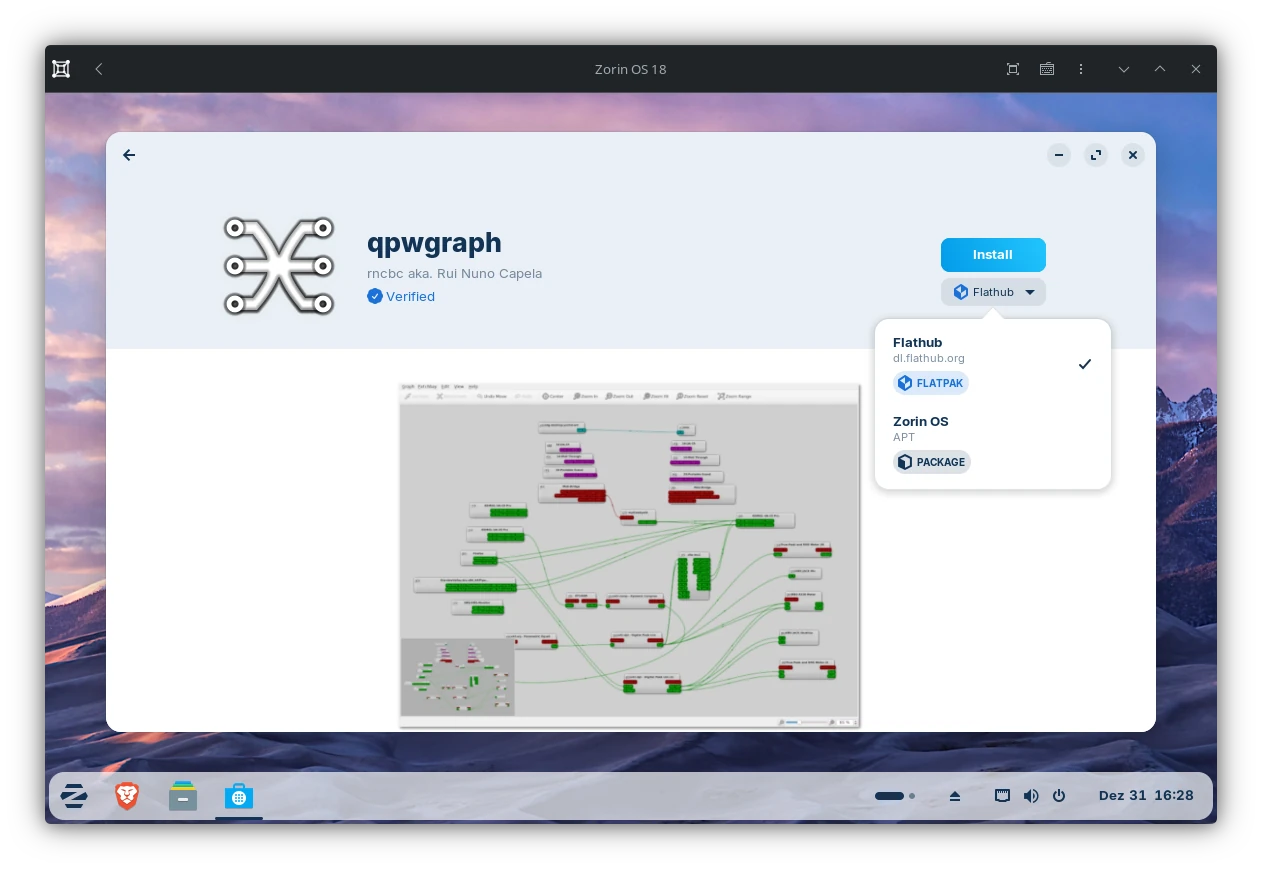
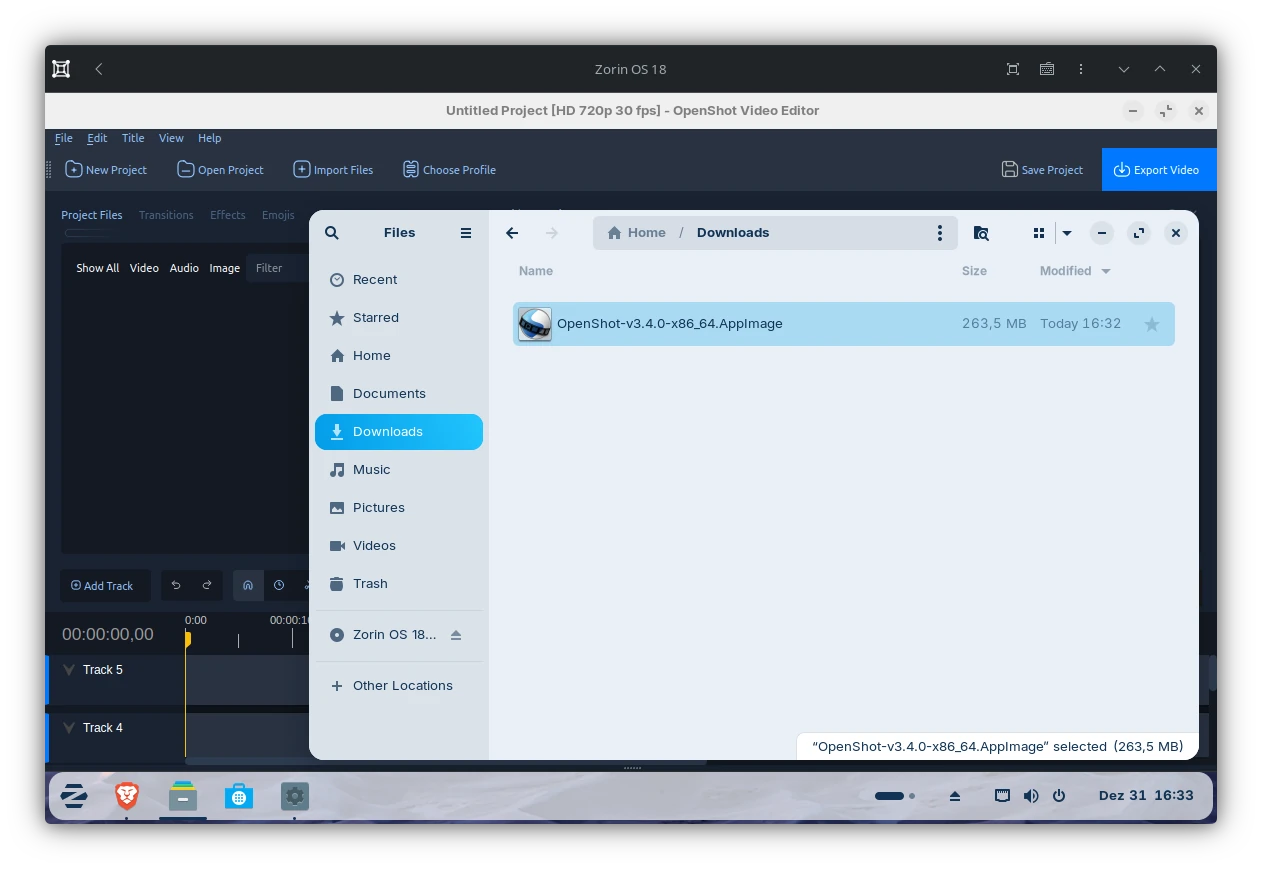
It also supports AppImages out-of-the-box which onto itself is a plus but also has it's drawbacks. More on this later on.
However, if we look a little closer things get absurd to some extend.
The Installer
The install media of ZorinOS 18 is about 2 GiB lighter as the one of Ubuntu 24.04 LTS which it is based on. But also some might notice it ships the Ubuntu 22.04 LTS installer instead. This leads to all accessability feature to be missing. An interesting choice for a user friendly distribution some may think.
The first step is about Try Out or installing ZorinOS. The second one ask for the keyboard layout while the third one is simply skipped and you'll advance to step four. Which is about Updates and additional Software.
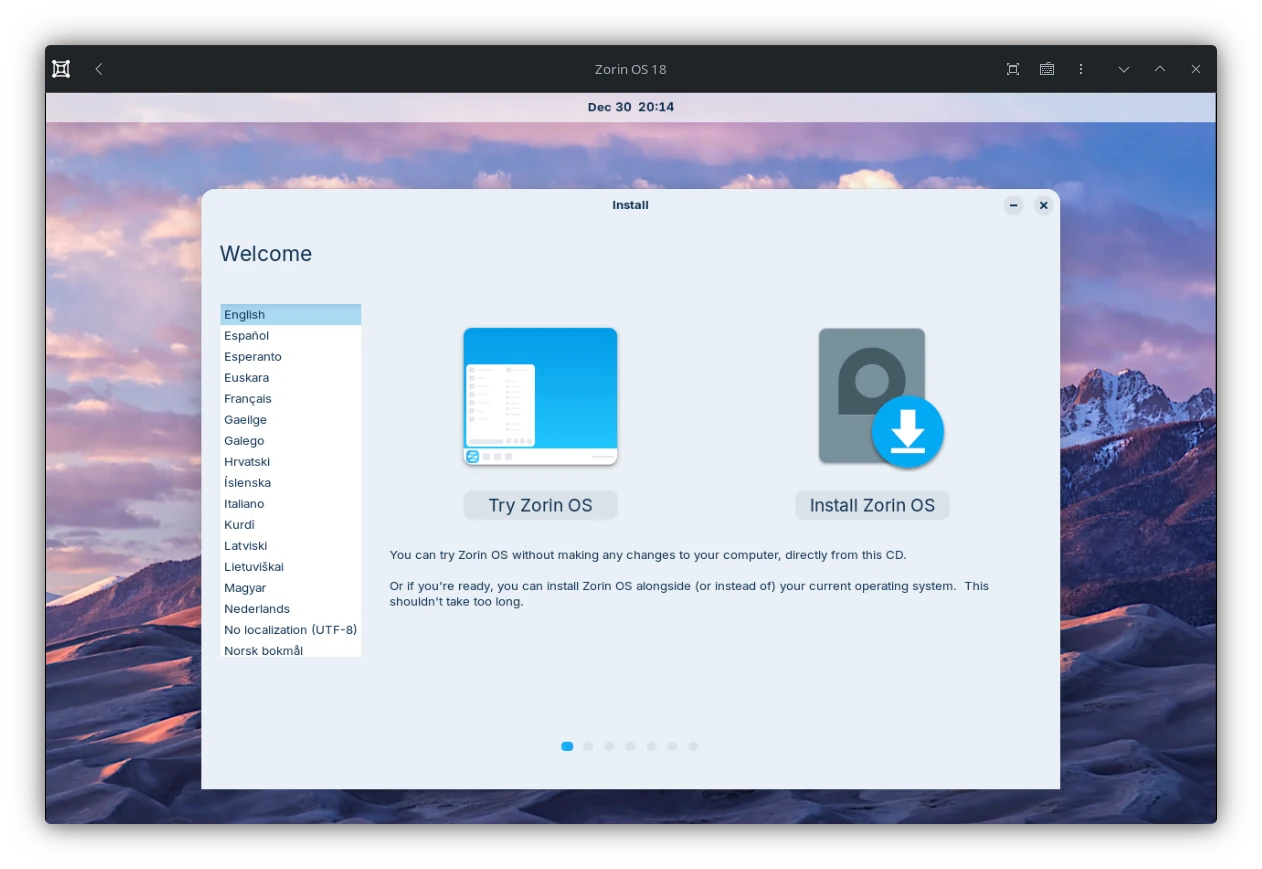
(ZorinOS 18, based on Ubuntu 24.04 LTS, Installer)
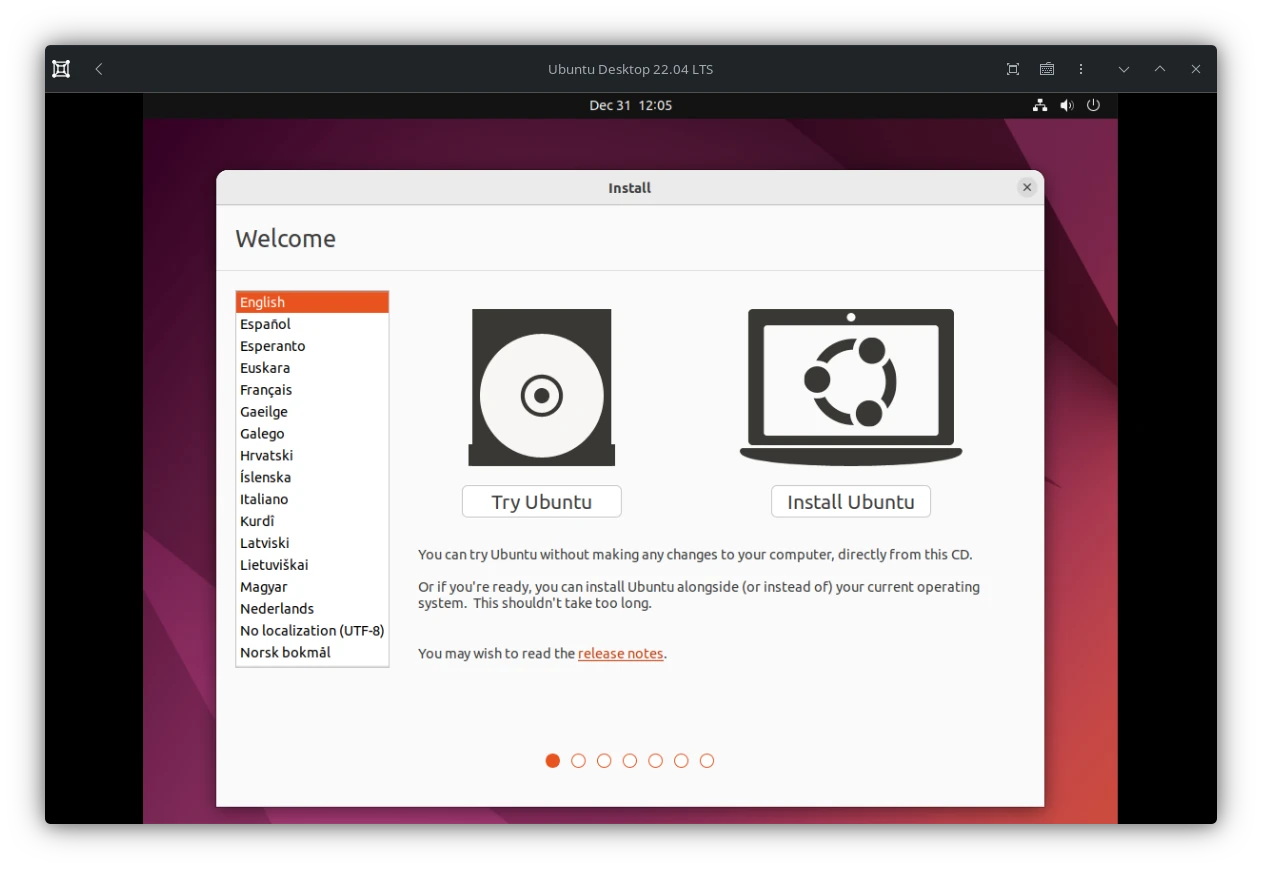
(Ubuntu 22.04 LTS Installer)
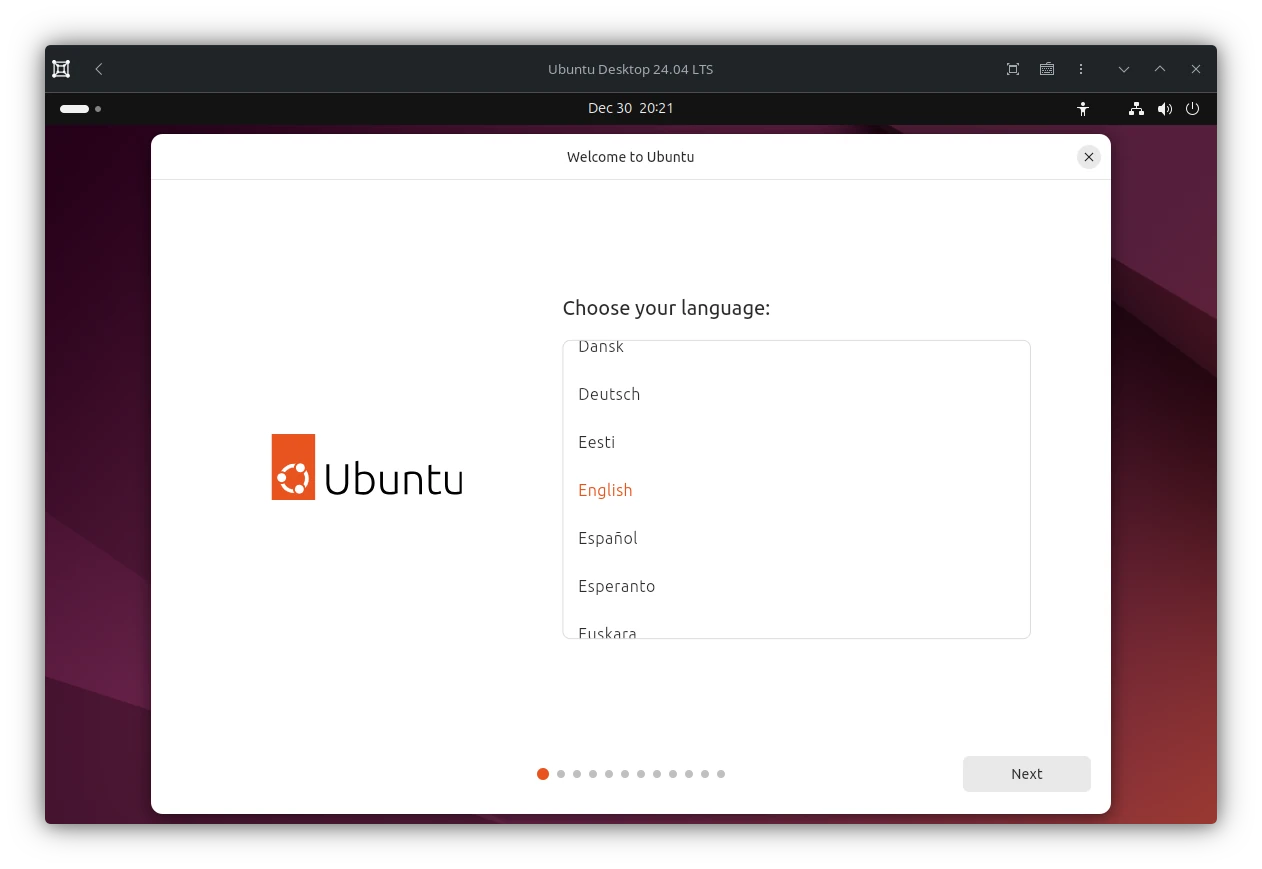
(Ubuntu 24.04 LTS Installer)
Census
I'd like also to mention the census as Zorin OS calls it is which also is part of step four. This one is used to get some statistics about how many people actually are using Zorin OS. The official Privacy Policy describes it as follows:
- Census. When using Zorin OS, your computer may send us a ping which only includes the number of users, an anonymous indicator for the installation, Zorin OEM partner batch (if applicable), and your OS version on an hourly basis. We use this information to count the number of active users of Zorin OS. The indicator is only used by the census to prevent double-counting and does not personally identify you unless you (or someone acting on your behalf) discloses it separately. Below is a sample of the contents of the ping:
{id:"68f2d95b-f51f-4a5d-9b48-a99c28691b89", usercount:"1", oembatch:"", version:"15"}
You may choose to disable these pings by selecting the "Don't participate in the census" option in the Zorin OS installer or entering this Terminal command after installing Zorin OS:sudo apt remove zorin-os-census
(Source: ZorinOS Privacy Policy - Fetched on Dec 31 2025 at 13:23)
If we compare this with the Ubuntu 22.04 installer which Zorin OS is using, there is no such thing:
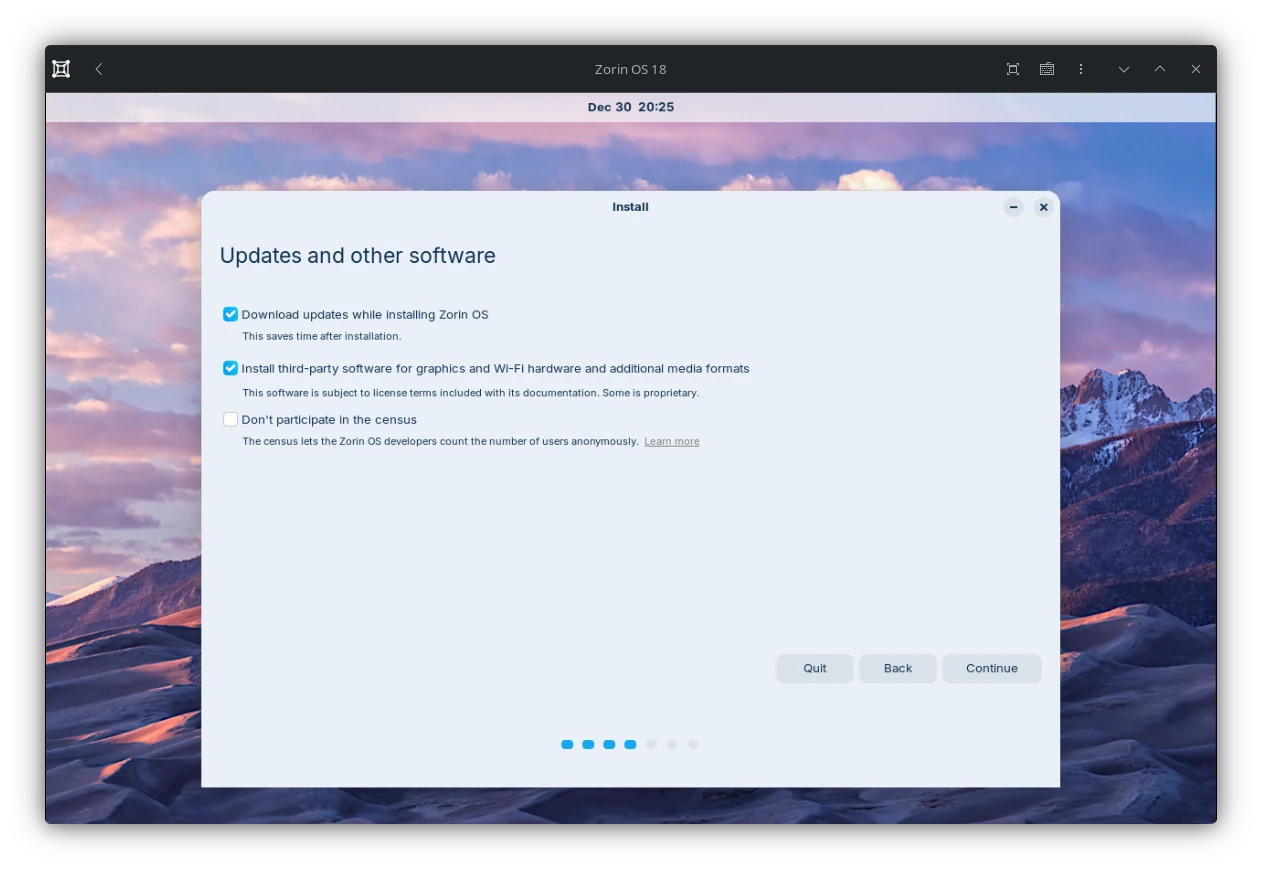
(ZorinOS 18 Installer - Step 4)
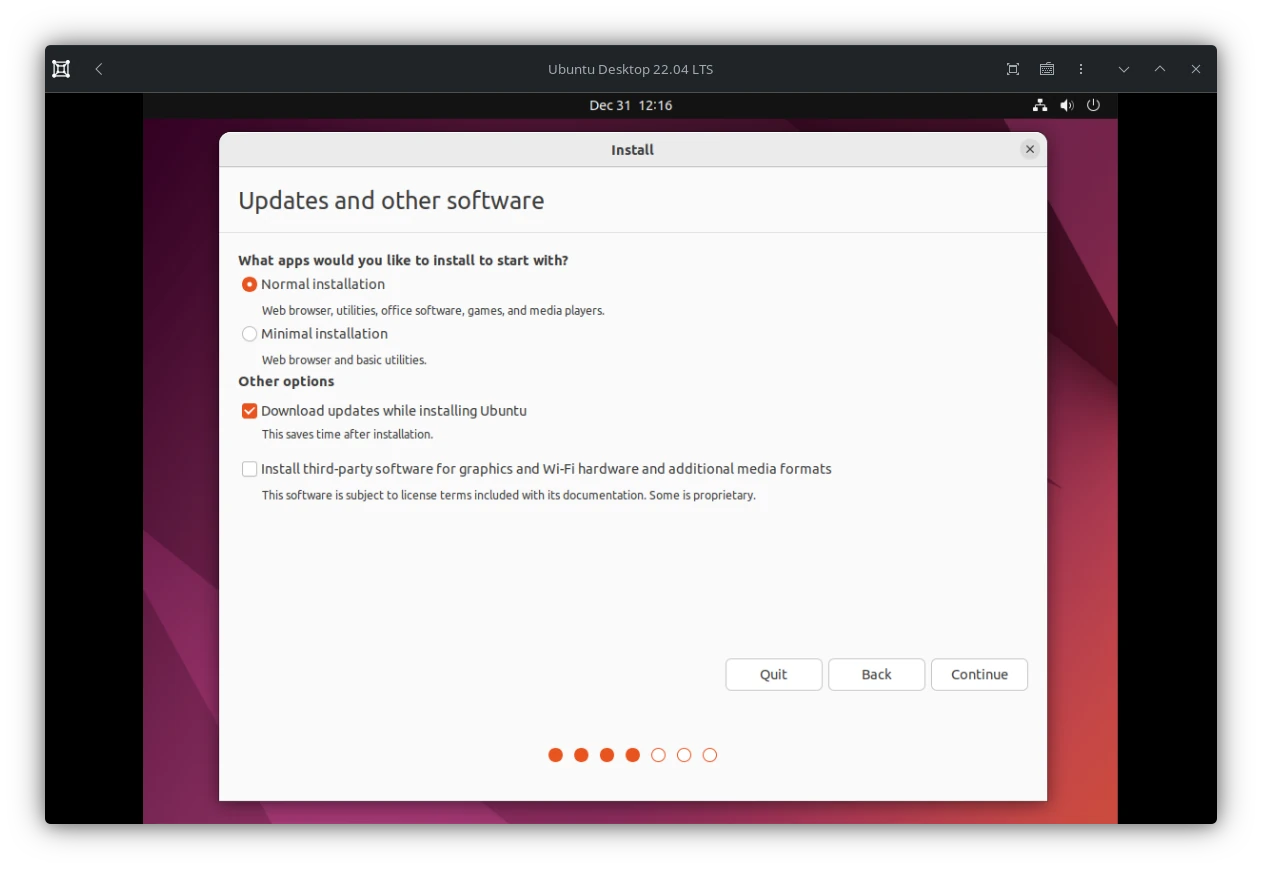
(Ubuntu 22.04 LTS Installer - Step 4)
What I find interesting here is:
- The census is out-out while it suggest it is disabled
- Finding out about the cenus after the instalaltion is somewhat complicated and can be found here Main Page -> Term -> Privacy
- Disabling the census post install is done via terminal by uninstalling the
zorin-os-censuspackage. It is even hidden in the Software Center. An interesting choice for a user friendly distribution as well. - To which extend a unique identification nummer is anonymous is debadeable. You can find it at
/var/lib/zorin-os-census/uuidwhich can be read by a simple shell script and send over the network via curl. Something the census does apparently itself
$(curl -s -H "Accept: application/json" -H "Content-type: application/json" -X POST -d '{"id":"'"$id"'","usercount":'"$usercount"',"version":"'$version'","oembatch":"'$oembatch'"}' https://census.zorinos.com/submit)
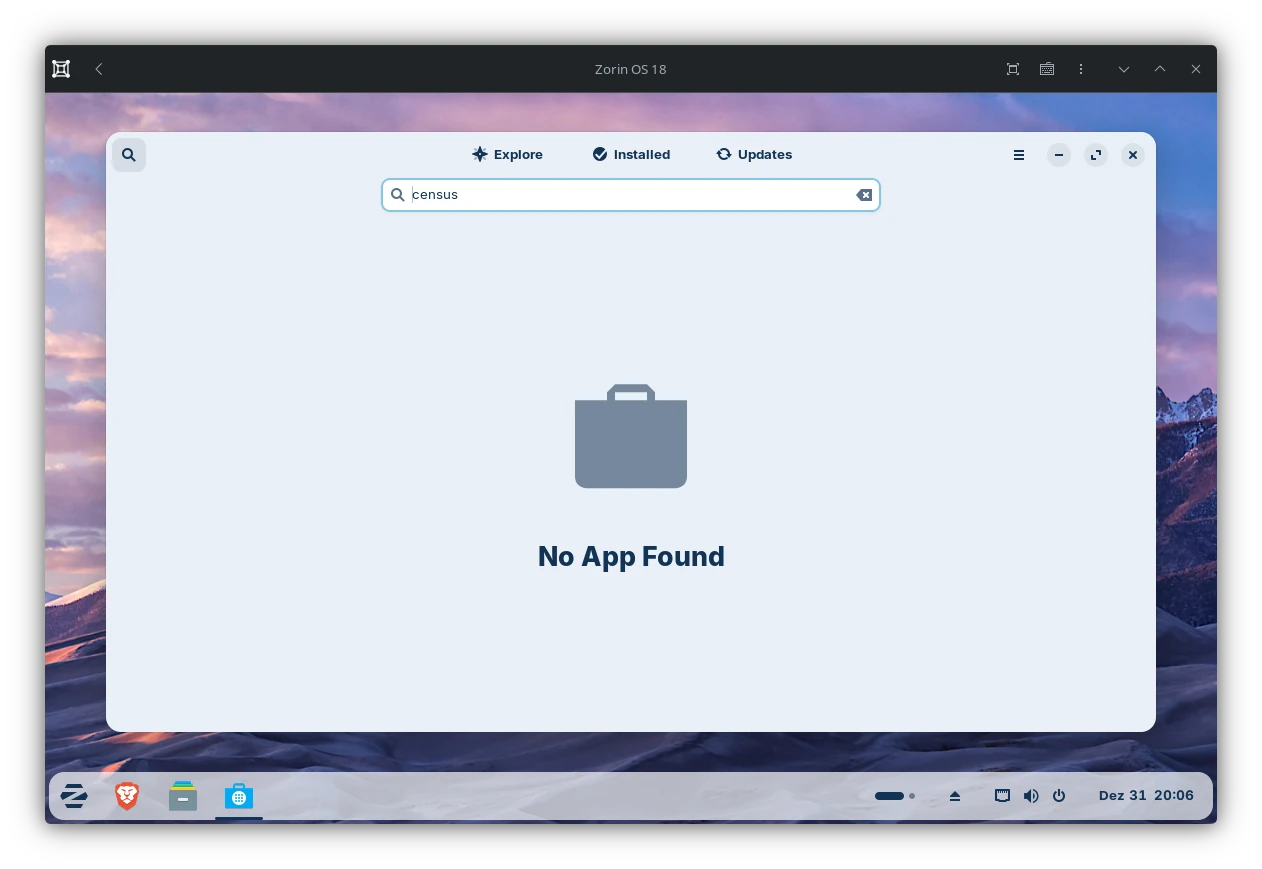
If we click on Learn more we will get a Keyring (Gnome-Keyring) dialog which prompts us to set a password for the same. While Brave is silently waiting in the background to open up and for the keyring to unlock.
In case we do nothing, nothing will happen. If we click on "Cancel" it will re-spawn the dialog a few times.
To be fair this is Chrome being Chrome. It tries to unlock the systems credential vault to receive passwords. If you for example store passwords in chrome on Linux they will be locally stored here and be encrypted. This is nothing Zorin OS could change unless they do not open Brave.
(Something which Firefox for example does not do. But I'd like to mention that Firefox approach is much more secure as any application can access an unlocked keyring via D-Bus. But this is a story for another time)
There was a security issue (known as CVE-2018-19358) reported in the past regarding the behaviour of the GNOME/Keyring API. Any application can easily read any secret if the keyring is unlocked.
(Source: Arch Wiki - GNOME/Keyring - Fetched on Dec 31 2025 at 21.21)
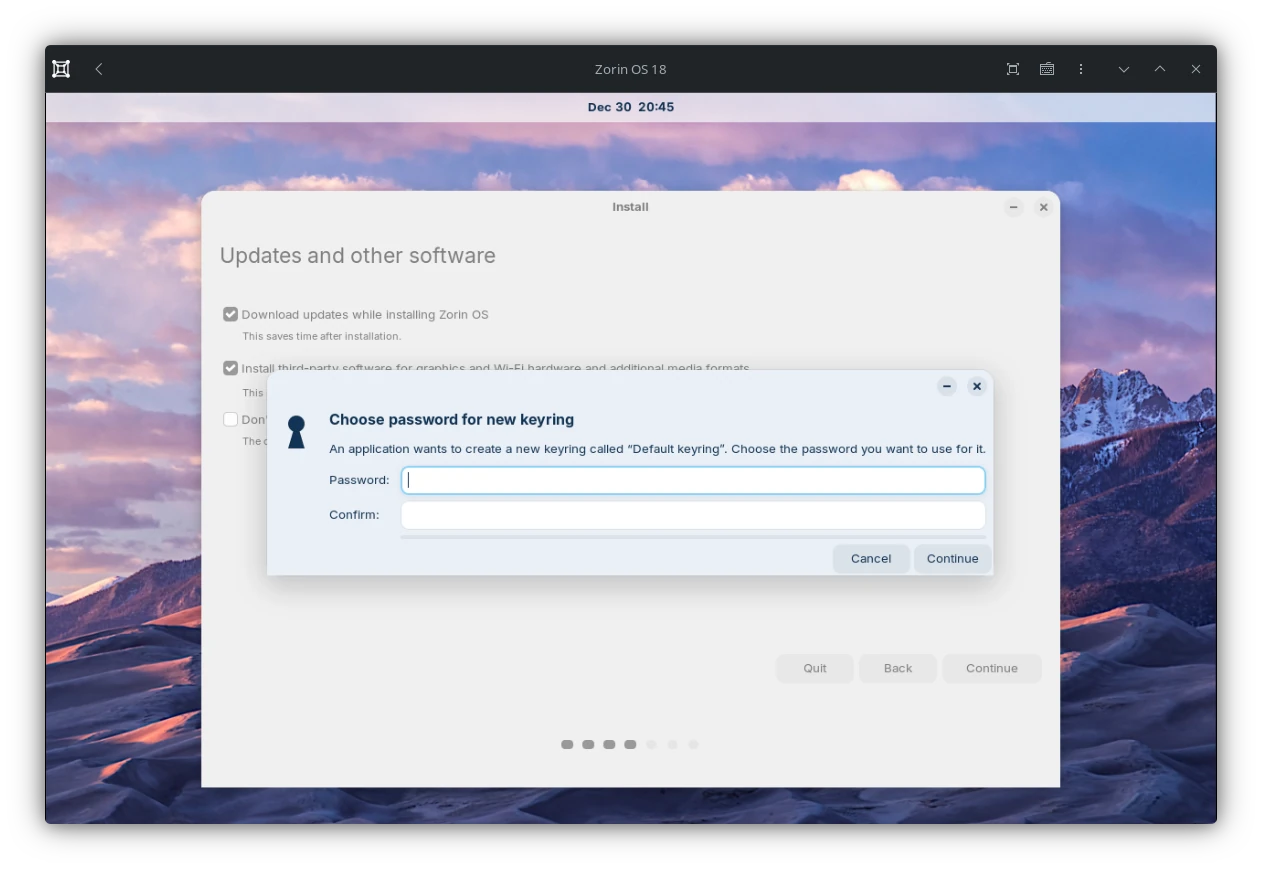
The text about the census isn't very long and an offline Popup should have sufficed here. Instead of smashing an entire Browser into the Installer just to show 3 sentences.
If we read the privacy notice a bit further we also can spot the following:
We will only collect, use, and share your personal information where we are satisfied that we have an appropriate legal basis to do this. This may be because:
- you have provided your consent to us using the personal information;
(Source: ZorinOS Privacy Policy - Fetched on Dec 31 2025 at 14:33)
To repeat the census is opt-out while the switch to disable it suggest otherwise. Which does not sound like an explicit user consent to me.
Some could argue how the UUID is not personal data but this isn't entirely correct. Everything which allows someone to identify a unique person is considered personal data. In addition to this, the zorin-os-census uploads the UUID every hour which links the UUID with the IP address of the user. Both ipv4 and ipv6 can be linked to the UUID this way. Especially an ipv6 is changed not very often if at all. Even if any or both of these ips are changed there is still the census uploading this information hourly. Which will link the UUID to the new addresses. Therefore you can very much identify a person based on this ip history and the UUID just fine.
Assuming someone gets a hold on a users IP address elsewhere and knows the Zorin OS UUID, they can track the person where ever they are. Not even a VPN would solve this.
“Personal data” means any information relating to an identified or identifiable natural person (hereinafter “data subject”). A natural person is considered identifiable when they can be identified directly or indirectly, in particular by linking to an identifier such as a name, an identification number, location data, an online identifier, or one or more special characteristics that express the physical, physiological, genetic, mental, economic, cultural, or social identity of that natural person.
(Source: DSGVO Article 4 Paragraph 1 - Translated by GPT-OSS 120B) - Fetched on January 3rd 2026)
IP-Addresses are very much online identifier as wall as location data. It is not without reasons data retention is a very hot topic.
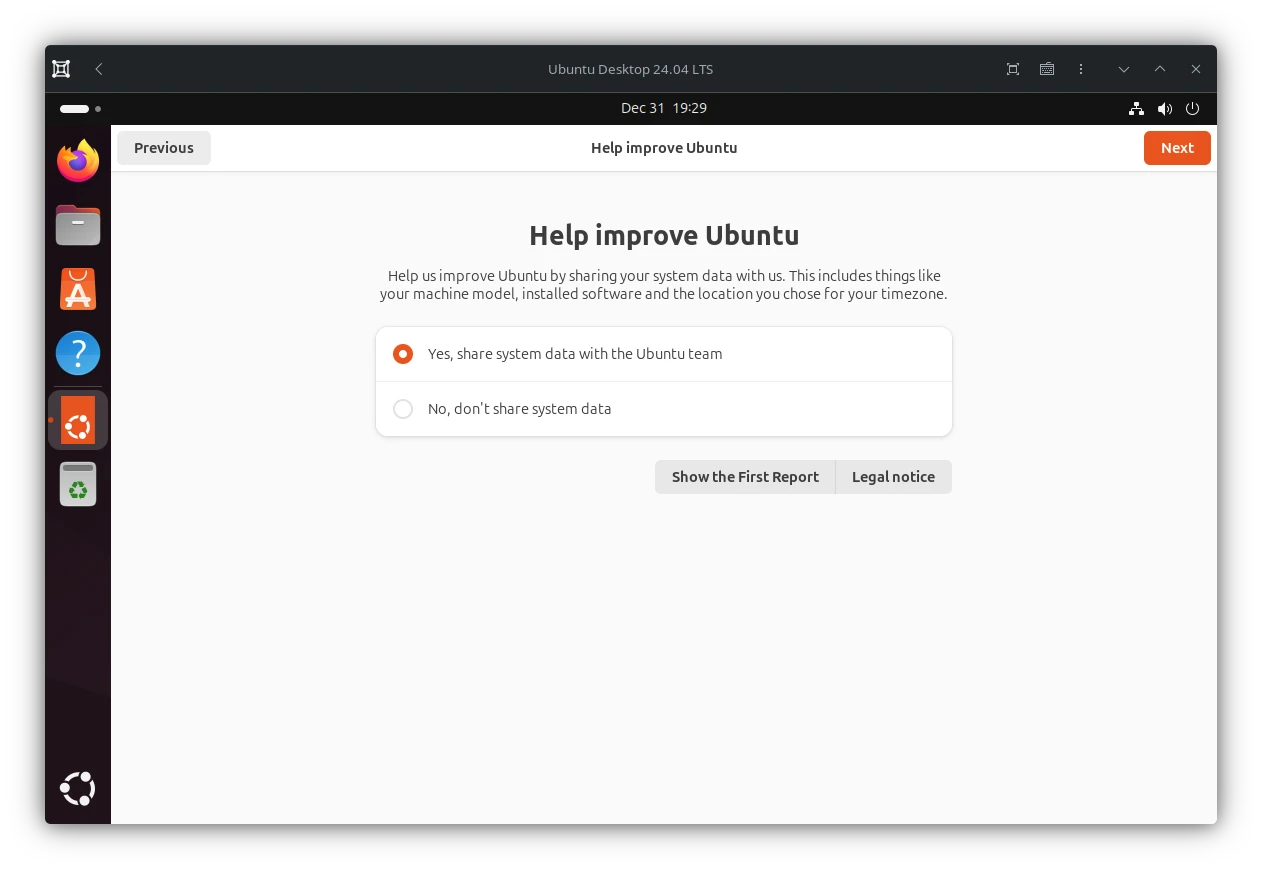
In order to show a different example and one which does it right in my opinion would be the one of Ubuntu. On a per user basis with an approachable user interface to enable / disable it. Also it visually states the user is currently opted-in.
While Ubuntu shares a bit more data with Canonical as like the Zorin OS census does it does NOT include a unique system identifier!
First start
After we have installed the system and log in for the first time we might get hearing damage as loud jingle "tickles" our ears. It sounds like some Evilcorp in a dystopian Schwarzenegger movie which does advertises how modern, future faced they are and how they make the world a better place.
I agree this is a very subjective perception. But my ears hurt nonetheless.
Advertise others work as their own
The biggest issue I have with Zorin OS is that there are quite a few situations where it disguises the work of others as their own.
For example it uses a bunch of common Gnome extensions to realise thier deskop layouts. They just re-branded them as Zorin extension-name-goes-here and ship them in their own repositories instead of extensions.gnome.org.
I agree it does not make much sense to ship all and the same extension on the same platform just under a different Name. Also it simplifies maintaining these extension for their own distribution. Other distributions ship some Gnome Extension within their own repos as well. But at least do not re-brand them.
But this also means they have to fix security issues their own if they are aware of any in the first place. In the end some is simply cut-off from the community and kinda "trapped" inside the "Zorin ecosystem". Except some does replace them with the real extensions via the Extension Manager (The blue puzzle icon inside the software center)
Here are some examples.
Zorin Connect
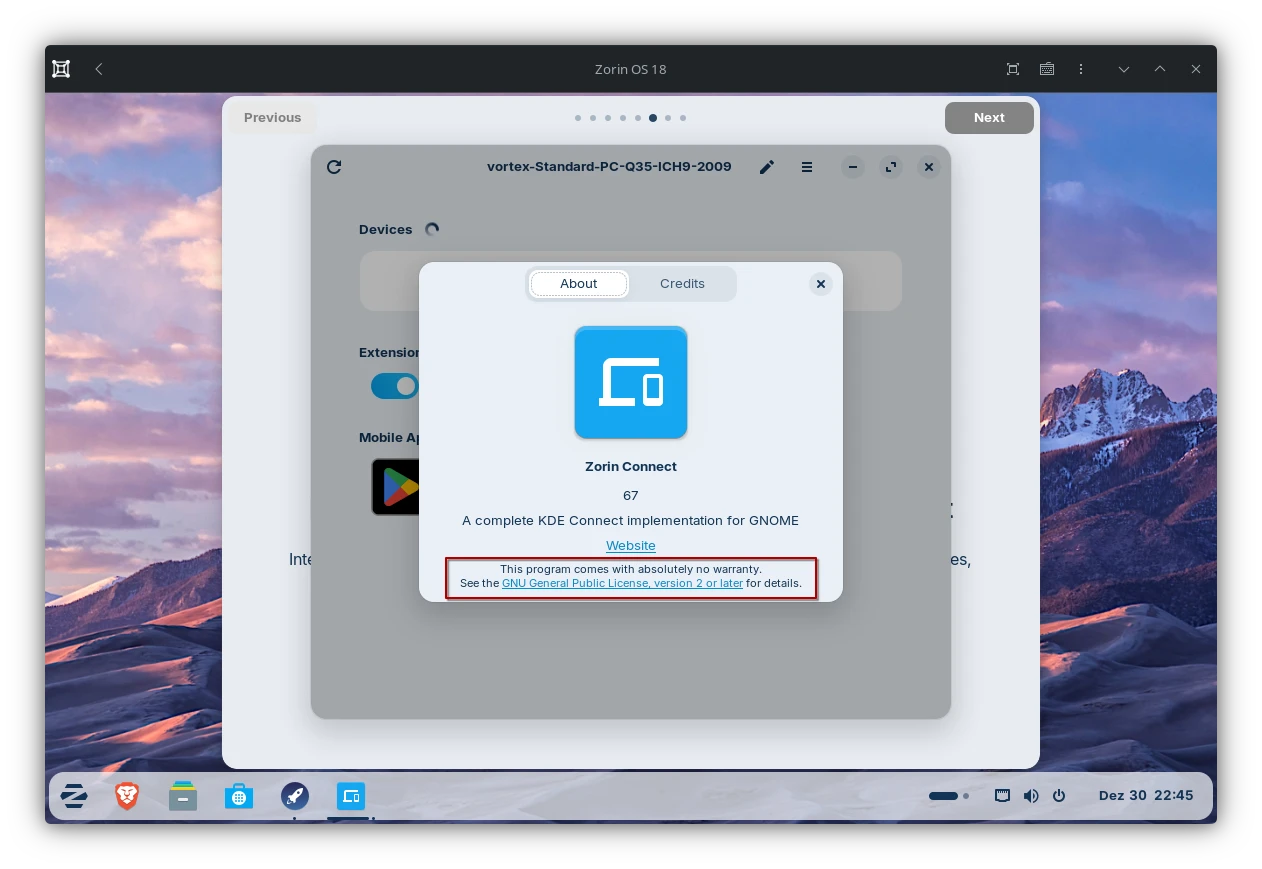
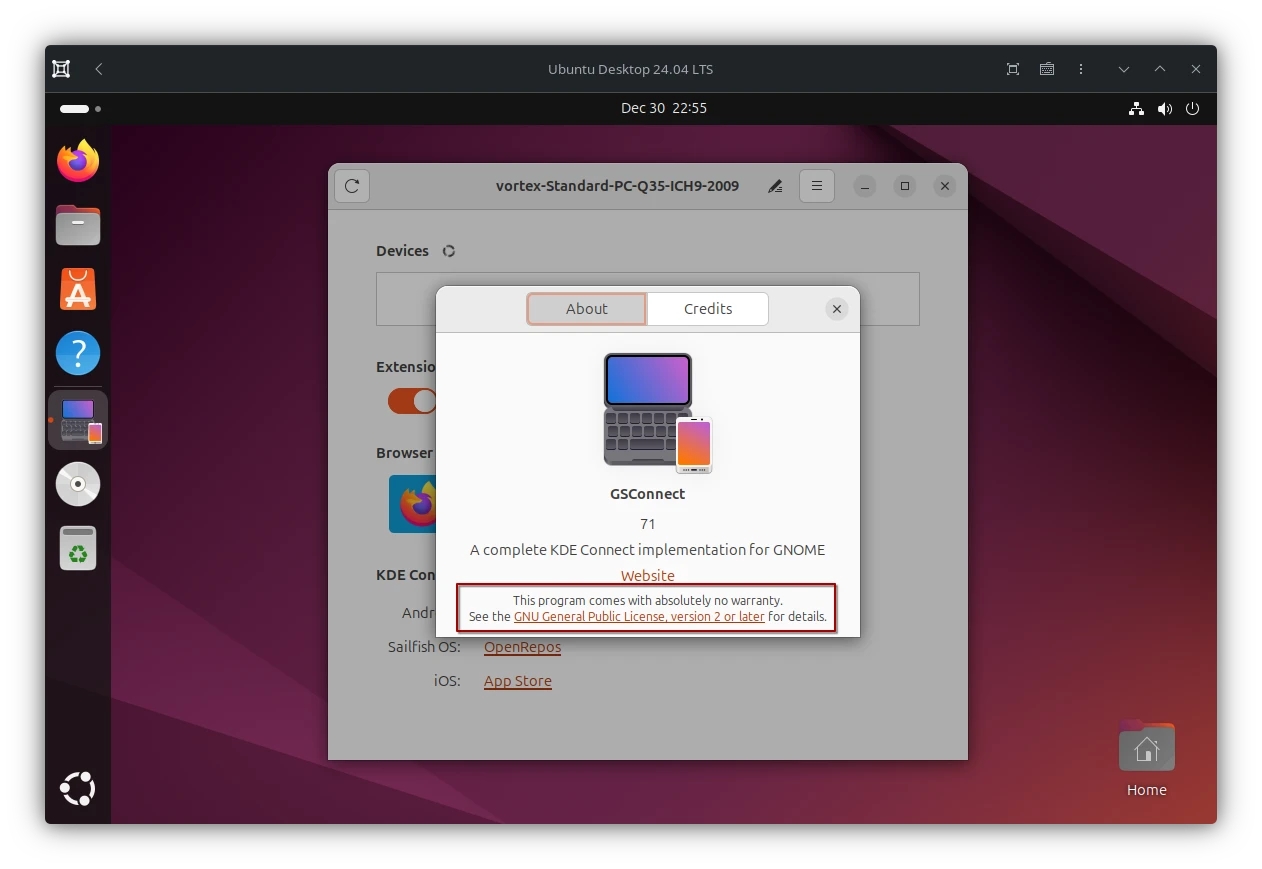
While you follow the Zorin OS Tour there will be a page which advertises Zorin Connect which is used to connect your phone via WiFi with you computer. At first a nice feature. On a closer look we may notice that this is actually GSConnect. A common KDE Connect extension for Gnome but simply renamed to "ZORIN" Connect. Which gives the impression it is it's developed by the Zorin guys.
A side by side comparison between GSConnect and the out-dated Zorin Connect.
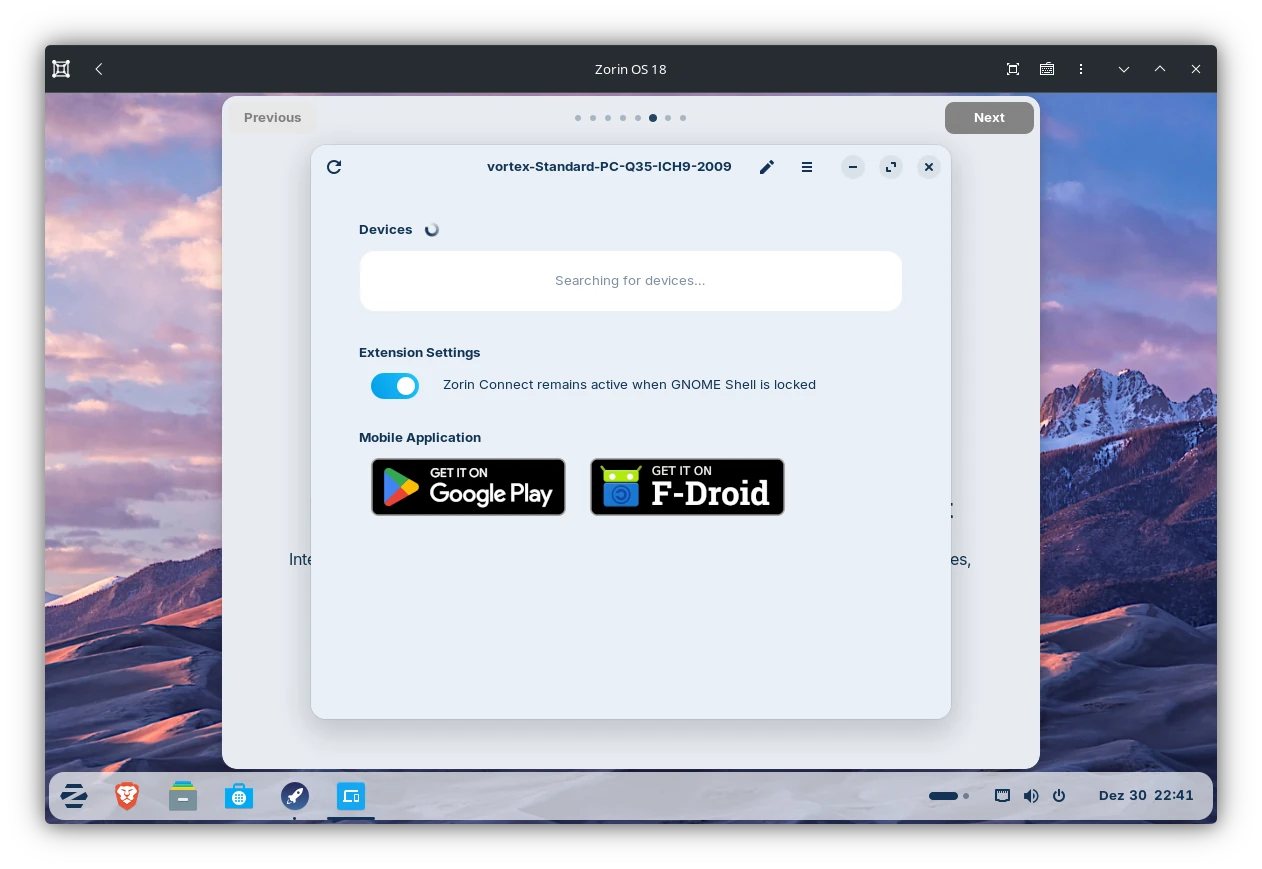
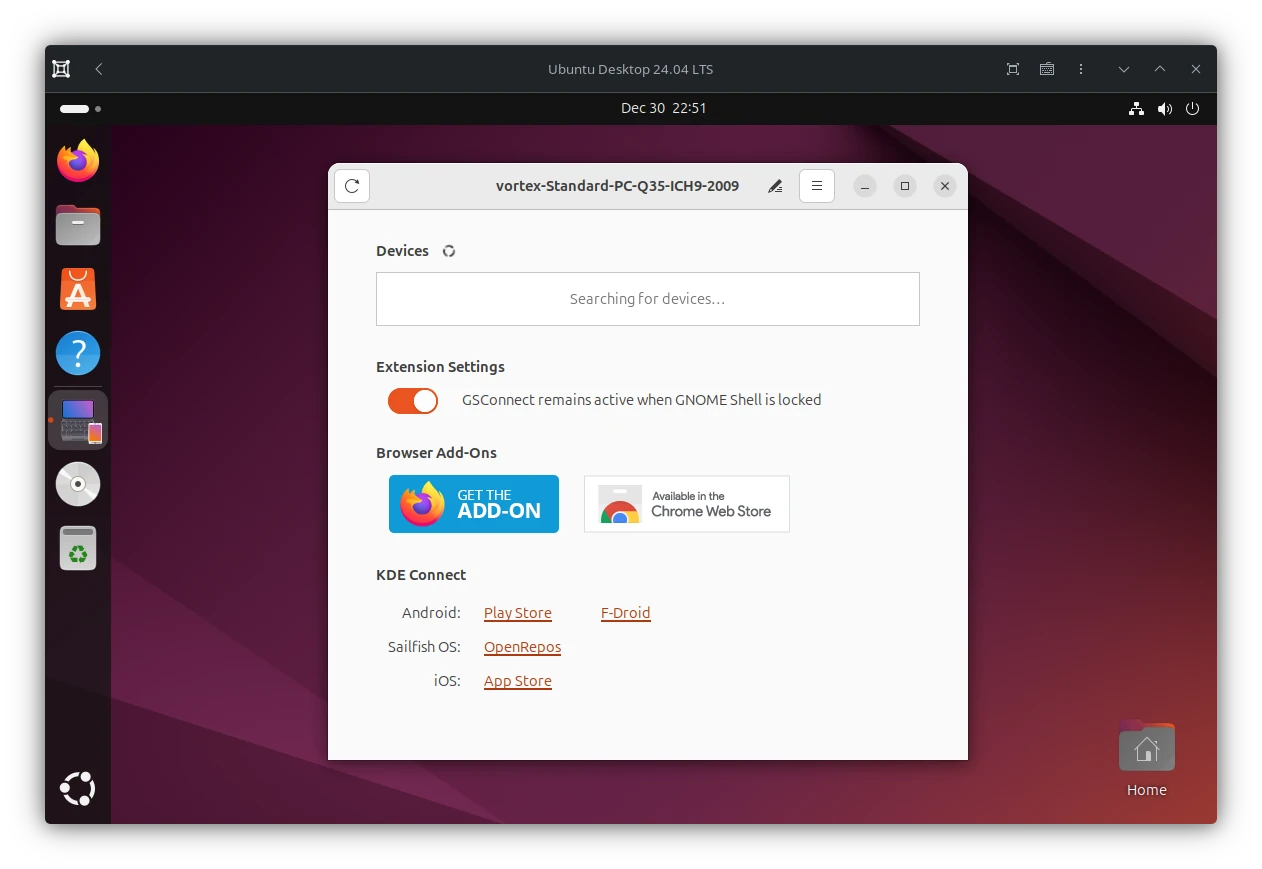
At least they did not stripped the original authors from the about dialog (which I can not say about the actual source code). Not to mention it is not very GPL-2 compliant to not mention GSConnect here.
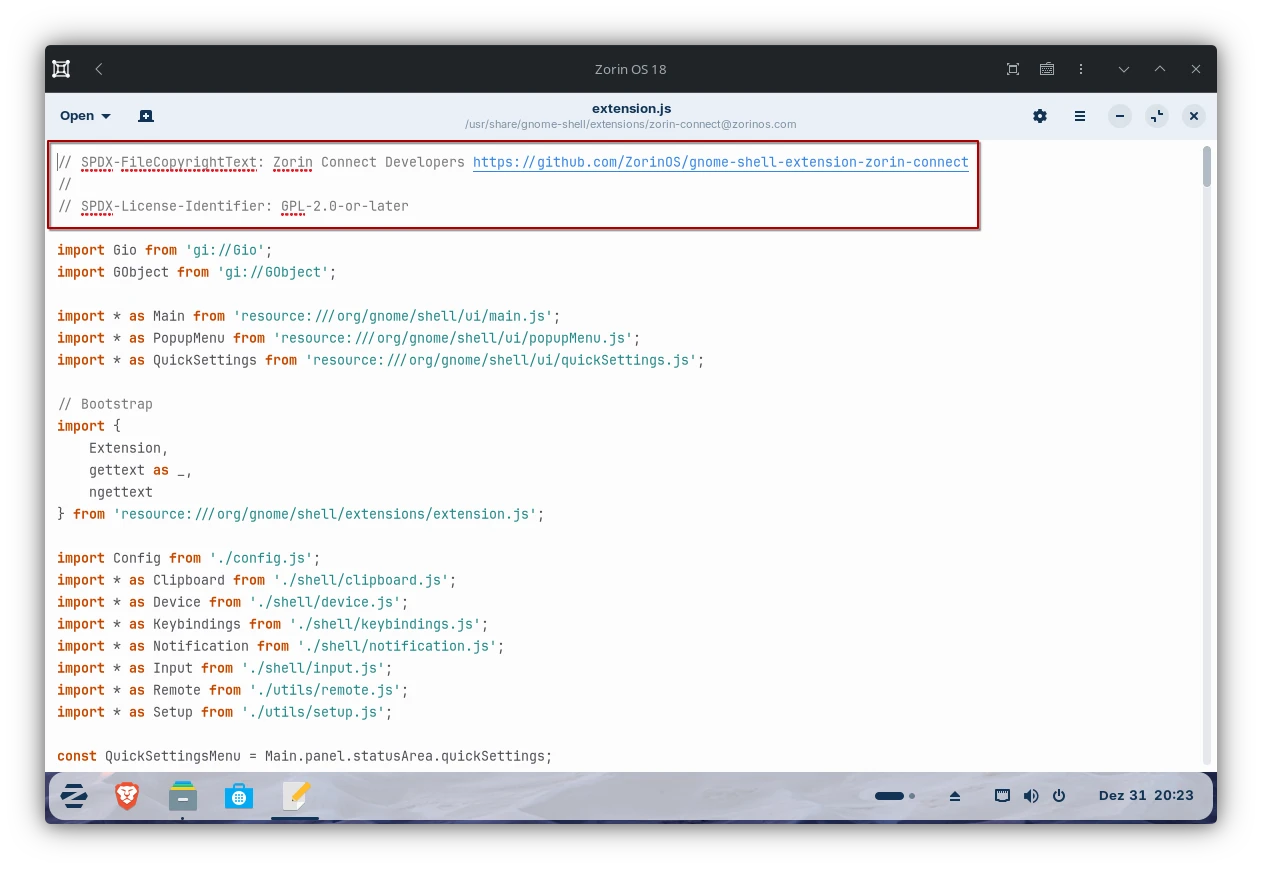
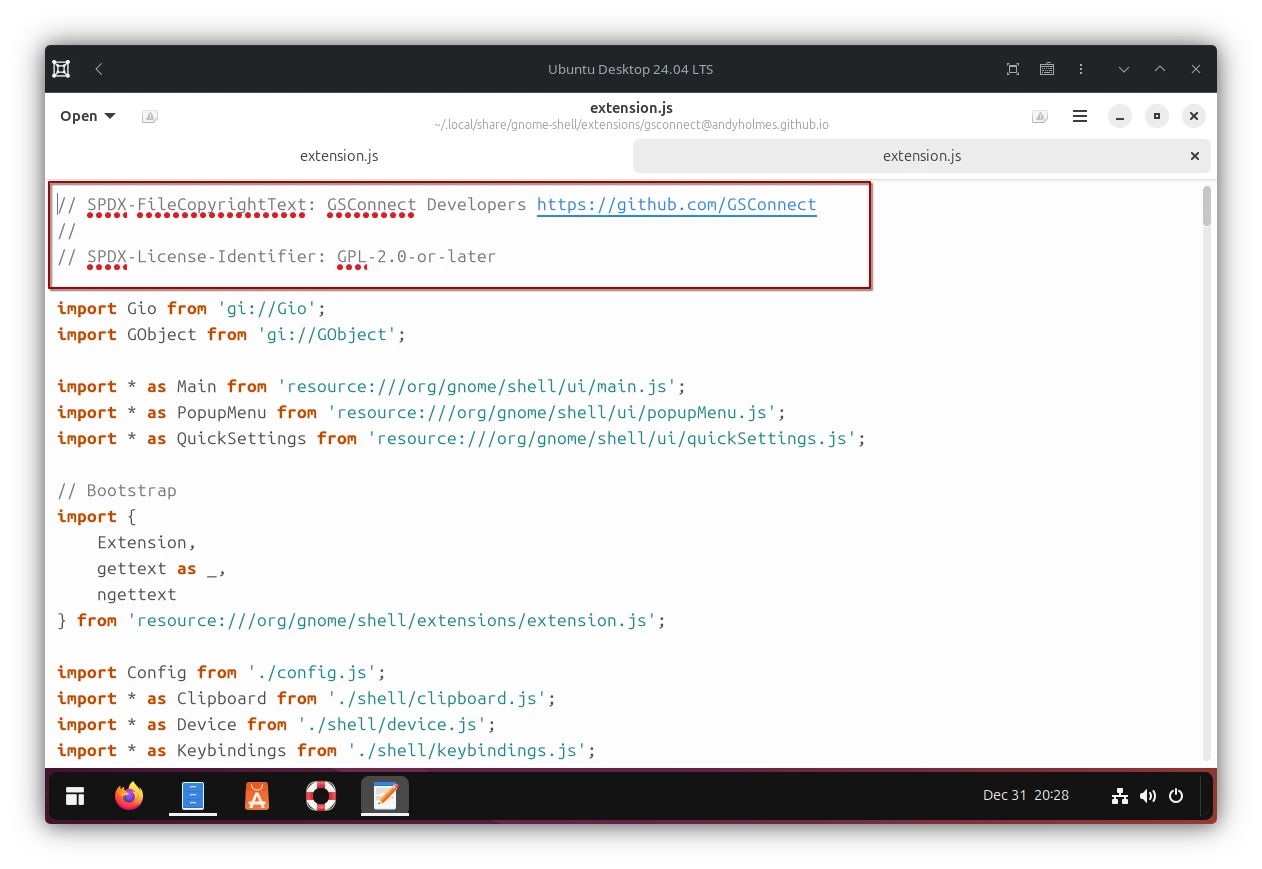
Also if we take a look at the actual version of each extension, given both follow the same versioning scheme, we have GSConnect version 71 vs. Zorin Connect 67.
If so then Zorin Connect is affected by a huge seucrtiy issue which affects GSConnect 59 up to 68. More over at GamingOnLinux: KDE Connect security advisory released due to possible authentication bypass
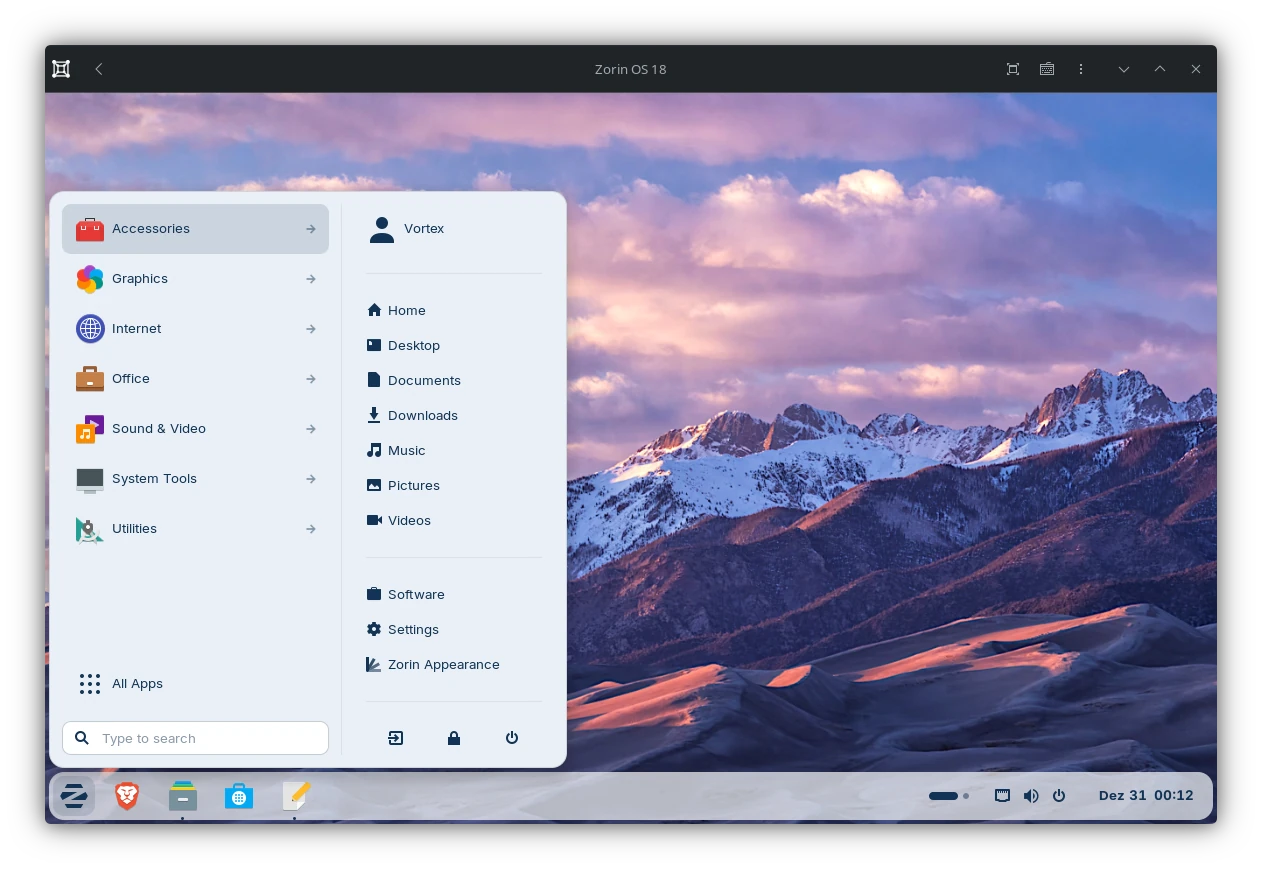
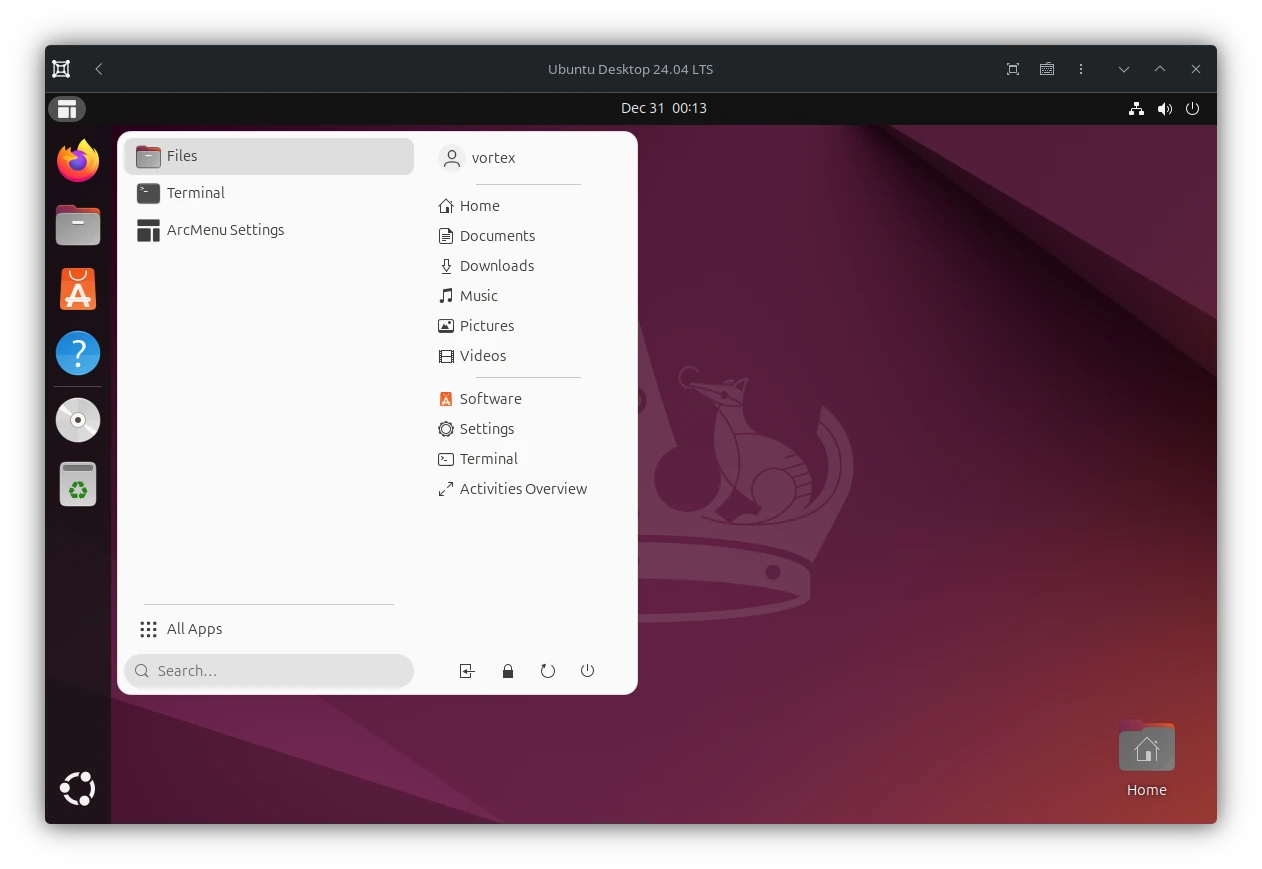
Zorin Menu
Which actually is Arc menu.
Zorin Taskbar
Which in reality is Dash to Panel with a slight border radius.
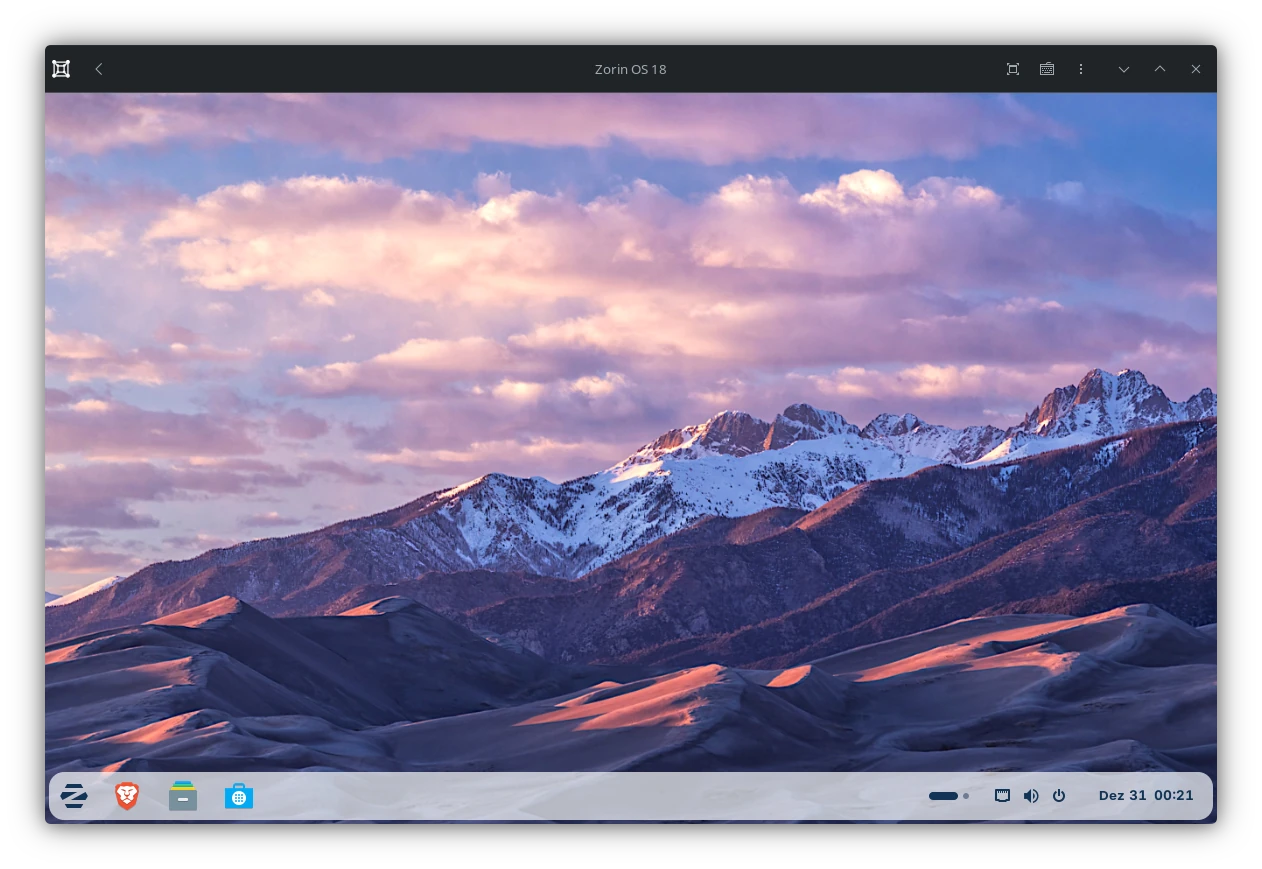
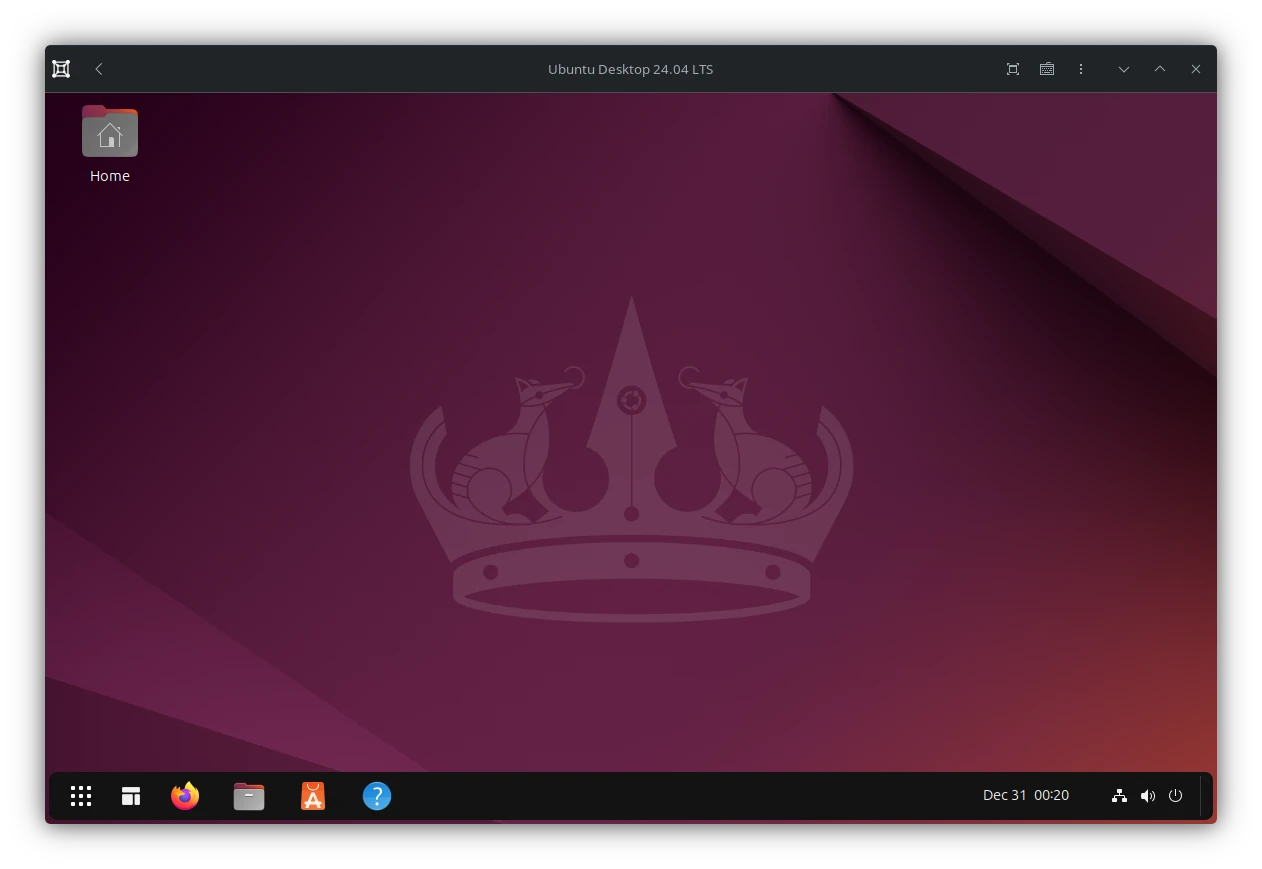
Wait a minute, Ubuntu looks very much like Zorin OS with just 3 extensions...
Agreed with enough effort you can make any Linux distribution make look like any other. Especially if they use all the same default settings and themes of their primary desktop environment.
But in the end it did not even took us 5 minutes. Assuming some does know the extensions.
This goes on and on the further we look the more we find. Listing all of them here would be a tad too much.
Advertisement
In generell is is not wrong to point out stuff which makes a system standout. Zorin OS is not lying here either. Still most of it's advertisement applies to any other desktop orientated Linux Distribution as well. Well okay, most distro usually claim the same stuff anyway. Therefore I will not talk about any singular feature here and tell you but XYZ distro does this as well.
While I could also outline how the speed claim is invalid as usually all point-releases, which Zorin OS is one itself as it is based on Ubuntu 24.04 LTS, are the worst of its kind. But compared to it alternative, Windows, is is more than justified to point this out.
Secure
This one is very debatable. On the one hand the Zorin OS software repositories are all hosted on Zorin OS dedicated repos. In some cases they even just apply a PPA to function as a kind of proxy between Ubuntus sources and the one of Zorin OS. On the other hand this is not uncommon for a distribution to do if they are based on something else. Many distros are doing similar things.
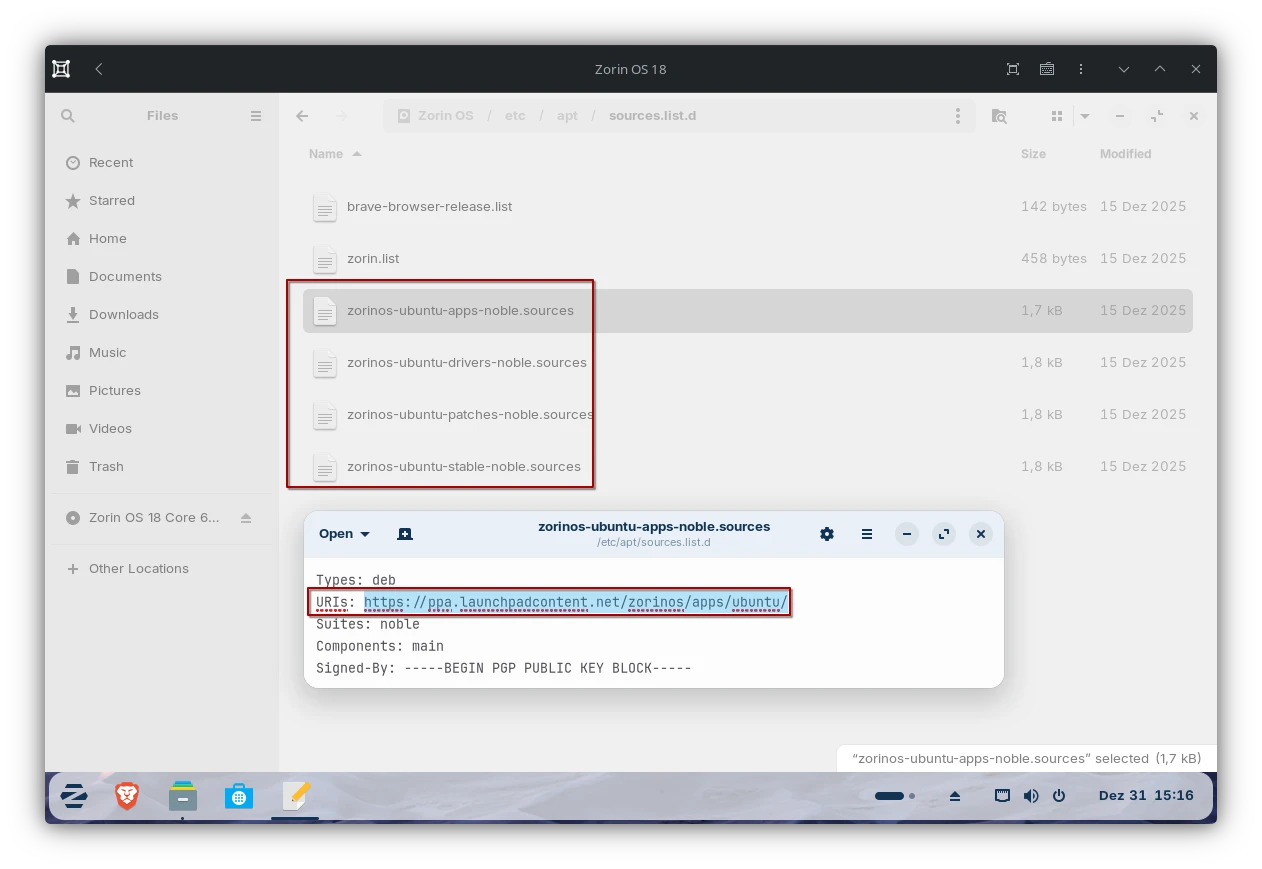
If a security issue is found it usually went's on like this:
- Security risk is reported
- Upstream fixes the issue. Those guys developing the actual thing, like the Linux Kernel
- Sometimes they backport these fixes to their own LTS releases
- Distributions are picking up the fixes and being integrating it with their own code base
- They beginn testing those patches with other system components to make sure they work
- Then these patches are rolled out to the users
For a regular point-release this already takes some time. While on Zorin OS their own process comes atop of it too. If they patch things in the first place see "Zorin" Connect.
Which also means users have to wait for security updates longer as usual.
AppImages
Another bummer for security are AppImages which ZorinOS supports out-of-the-box. I already talked about AppImages in another post. But will include the most relevant things here too.
While AppImages have a pretty solid use case as they allow developers to distribute only one executable version of their software while it should run on any Linux Distribution. Except, it doesn't.
The thing is, AppImages do not contain all their dependencies. Which makes them assume they are available on the host. If they aren't they simply won't run.
If an AppImage is a bit older and in return requires older libraries it forces distributions to either not support AppImages or to ship abandoned versions of some software packages. In case they are needed.
As Zorin also support flatpak it hast to ship quite a few dependencies. Not just for it's own packages but also for AppImages. Which causes the space requirements to explode and possibly includes stuff which maybe affected by known security issues.
Since it also uses ext4 as file system it can not even make use of file system based deduplication to at least somewhat mitigate the space consumption.
Also AppImages require the user to download the software from hopefully trustworthy websites from the internet. Just like on Windows. While for newbies this doesn't sound like much of an issue it actually brings the most insecure way of installing software to Linux.
Anyone can upload their own AppImage somewhere and fill their website with as much ads and junk as they wish. The user has then to go on a quest in search for the real download button. While fighting through a jungle of popups. Luckily AppImages are not very popular. But still it causes Zorin OS to ship no longer maintained libraries such as libfuse2 which is essential for any AppImage to function.
Not to forget about the keyring issue. Only users of flatpak are somewhat protected against 3rd parties to read their credentials as it uses a dbus-proxy to provide at least some level of permission management and prohibit applications to go rouge on your D-Bus interfaces. If we put AppImages into the mix things get messy.
About the Pro Version
There are zero issues in supporting your favorite open source project financially. Quite the opposite especially open source project deserve funding, therefore if you haven't pledge some money to your favorite projects, do it now!
However the "Pro" edition of Zorin OS is kinda suspicious. Not just because they disguised the work of others as their own but also because the "Pro" features are not exactly worth 48 bucks. All things considered.
On one hand they copy Gnome Extensions to realize their desktop layouts and hide away a few of them behind an artificial paywall. With little to no effort you get these on any Gnome Desktop just fine.
While they do provide a one-click way of configuring all the things instead of requiring the user to install and configure each individual extension themselves. But their work looks like they only re-branded the extensions and provided a little ui to configure them.
But what is about the original developers who put in all the hard work? Are they paid through the "Pro" edition?
Also the "Pro" edition consists of a few more productivity apps pre-installed which are all entirely free of charge and can be installed in the Light and Core version as well. Why are applications such as Blender, Kdenlive, Ardour, Inkscape, Gimp etc. considered to be part of the a pro version?
If the developers of these "Pro" apps are sponsored by Zorin OS I can not really say. Despite one singular Blog post which outlines how they donated to some of these apps. At least once every 15 years I suppose. This is at least how far the blog dates back.
Another thing is how businesses have to buy one singular license for each computer they intend to use Zorin OS on. Considering the "anonymous" Zorin OS UUID mentioned above it raises some questions:
Either this ID is not as anonymous as they claim it to be, the pro edition has other ways of identification or there is simply no way for them to validate if a user installs the Pro Version on multiple devices.
Can I install my copy of Zorin OS Pro on multiple computers? You can install a copy of Zorin OS Pro on multiple computers for personal use. However, sharing your personal copy of Zorin OS Pro with other parties is not permitted. For use in a business or organization, you will need to purchase a copy of Zorin OS Pro for each computer you intend to use it on. To do so, please press the "Download" button on this page, enter your email address, and click the Edit link beside "Quantity" in the pricing table of the checkout.
(Source: ZorinOS - Frequently asked questions (Fetched on Dec 30 2025 at 23:39))
Also if someone plans on upgrading to the next major version they have to re-buy the thing.
Will I get access to future updates of Zorin OS Pro? The purchase will give you access to the current major version of Zorin OS Pro as well as future updates within the version series, such as upcoming point releases. Future major versions — such as Zorin OS 19 Pro — will need to be purchased separately when they will be released in the future. However, you'll be able to upgrade to future major versions at a discount. We will continue to support Zorin OS 18 with software updates until at least June 2029, and you will be able to use Zorin OS 18 Pro for life.
(Source: ZorinOS - Frequently asked questions (Fetched on Dec 30 2025 at 23:39))
This means while you can upgrade Zorin Core 18 to Core 19 free of charge you can't do the same for Pro 18 to Pro 19 without getting another license?
A monetization model you usually associated with proprietary operating system but not Linux. Considering the target audience are Windows refugees they might be used to this kind of conditions. Even though they are sketchy especially here.
Even Red Hat Enteprice Linux (RHEL) and SUSE Linux Enterprice (SLE) can be installed and used for free. Customers usually pay for customer support and maybe hosting.
If we take a look at the refund policy things get a little more messy:
We understand that you might change your mind. As such, you can request a full refund within 30 days of your purchase of Zorin OS Pro, provided that you haven't started downloading or upgrading to your copy of Zorin OS Pro yet.
(Source: Refund Policy for Zorin OS Pro (Fetched Dec 30 2025 at 23:54))
So ... I am allowed to refund the product within 30 days, assuming I have not unwrapped it?
Not an expert but: Zoring Group is located in Ireland which is part of the European Union. As fas I am aware we have solid refund rights here. They allow you to refund within 14 days without any reasons. This includes if the goods have been unwrapped. Imagine purchasing some cloth online then try them at home and you notice they do not fit and you wouldn't be allowed to return them? 🤷 Digital goods are no different here.
If we take a look at the Steam refund policies for example. A user is allowed to refund the game within the first two week after it's purchase while not playing the game for longer than 2 hours. These policies are out of nowhere as even Steam has to follow legal guidelines. The two weeks are the very 14 days I mentioned earlier while the 2 hours are to ensure the user hasn't played through the entire game. Which is very much possible with any game within two weeks. Therefore they want to prevent users from buying games, finish and refund them.
Of course Zorin OS has no way to remove the Pro versions once it has been installed or downloaded from you. But legally this is a grey area.
Of course a distribution always has operational costs.
Most notably Webhosting. Providers love charging for traffic. Considering millions have downloaded the 3.5 GiB Zorin OS 18 image and as much have downloaded Zorin OS 12. Then you have development consts, rebranding, CI/CD pipelines to build and ship the latest version of Zorin OS and more. As someone who maintains a few open source project themselves and even takes care of some distribution packages as well I know even a few packages mean a lot of work.
While I need to state that Zorin OS uses Canonicals Launchpad which means they do not have to run their own CI/CD infrastructure.
What I want to say is, while I understand the need for financial support I am not satisfied how Zorin handles it. If you want to support Zorin OS without purchasing the Pro version you can do so via BitCoin or PayPal. Without receiving anything for it.
If this is any better I can not say. Personally I would rather support the actual projects instead of someone who leeches from the work of others and disguises them as their own.
Summary
To end this post you can conclude the following reasons against Zorin OS:
- Suspicious user data collection aka. census
- Label the work of others as their own
- Security issues
- Advertisement for things not even exclusive for Zorin OS
- None EU conformant refund policies
- Ubuntu packages are delayed because of Zorin OS PPAs
Good things about Zorin OS are:
- It looks modern
- It provides familiar layouts aimed at Linux newcomers. Given some has bought the Pro edition.
- It's based on Ubuntu 24.04 LTS
But all things considered I get the vibe of that particular kid which didn't do it's homework, then copies it from someone else, changes a few things here and there so it does not look as it has been copied and claims it as their own.
Also I would feel scammed if I had bought the Pro edition and essentially received nothing for it which makes it as good as simply donating the money instead. Glad they did not locked away the ability to change the wallpaper or added a watermark ...
What people might think about it's name "Zorin" OS I leave up to you. For me, as it is named after the developers last name, it feels kinda self-assertive. Imagine MacOS would have been named WozniakOS / JobsOS or Windows was called GatesOS / AllenOS
But Linux is also named after Linus Torvalds
Well yes but he didn't invented the name himself see Naming of Linux on Wikipedia.
That's it. Of course I leave it to yourself which distribution you install on your computer and which not. I am not here to tell people what they are allowed to do and what not on their own hardware.
I do not want to give my own suggestion for Linux newcomers as this is not as easy to answer as some might think. Usually if someone ask me to help them move to Linux they either have some distro already in mind. Therefore I just help them familiarizing with it. Even if it might be Zorin OS. Or if they do not have any clue I try to find the best solution for each one individually.
For newbies which do only care about the apps I usually tend to recommend immutable flatpak centric distributions. So they might not nuke their system as soon as possible by copy and paste random commands into the terminal they got from any random forums.
Greetings, V.
Change history:
January 3rd 2026
- Fixed spelling errors
- Elaborated on refund policies
- Elaborated on census and personal data