Low-End Linux Gaming
An overview about Linux gaming on low-end hardware. Limitations and distributions to use for old hardware.
While Windows 10 is near its end of support it is time to take yet another look at Linux as an alternative.
In this post I'd like to focus especially on old hardware as Windows 11 has rather high system requirements and otherwise refuse to install. Even though there are a multitude of way to circumvent these restrictions. While the question comes up how much tinkering is needed to get Windows all setup and running or simply switch to Linux. On old hardware this might be the best choice anyway.
System of reference
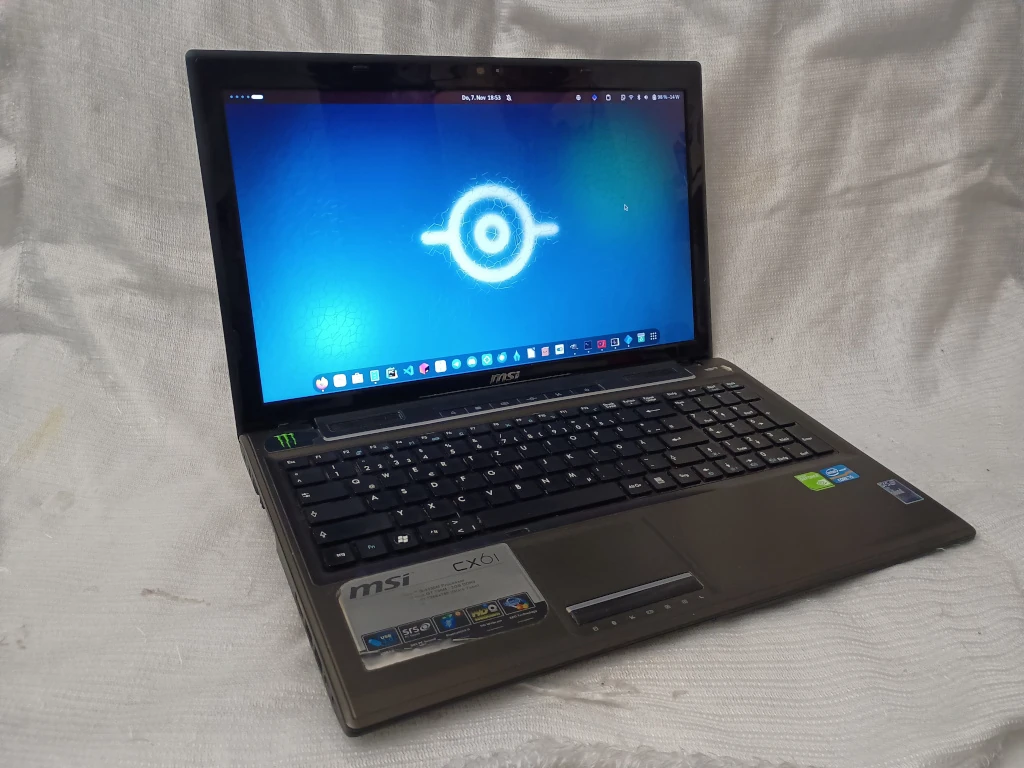
To begin with I'd like to give you a short overview about the actual computer at hand throughout this article. I will use the MSI CX61 0OD released in 2013 which was shipped with the following hardware:
- CPU: Intel i5-3230M
- integrated graphics unit: Intel HD 4000
- dedicated graphics unit: NVIDIA GeForce GT 730M
- memory: 4GB DDR3 (Single channel)
- storage: 500GB 2.5″ HDD von Toshiba
- Wireless connectivity: Bluetooth 4.0, Wi-Fi 802.11 b/g/n
- Webcam: Bison NB Pro (max, 720p@30fps)
- Drive: DVD RW
- Battery: 4400 mAh, 49Wh
See the official spec sheet from MSI.
Hardware Upgrades
During the past 11 years (at the time I wrote this article) the Laptop is running on its 3rd battery as the original beside the usual also started to develop cracks in the frame as well as deformation. Therefore, it was about time to replace that one. This was around 6 years ago.
While I replace it with one which had the same capacity as the original one which lasted roughly around 3h with office workloads. While the computer consumed around 11W up to 23W which on paper translates to 2.1 up to 4.45h battery life. While later on, even though the first replacement is still fine, I bought another battery with 73.26Wh capacity which lasts 5 up to 6h.
In addition, I also replace the 4GB memory module with two 4GB modules. Therefore, from single to dual channel and twice as much memory. While the HDD was also replaced with a 1TB Samsung EVO 860 SSD. This did not just reduce the over all power consumption it also speeds up the Laptop by a lot and made it more shock resilient.
While the power adapter had to be replaced due to a broken cable as well.
The latest upgrade was a new Bluetooth / Wi-Fi module which was upgraded from an Intel Centrino Wireless-N 135 to an Intel AX210/AX1675* 2×2 Typhoon Peak. This die not just enabled Wi-Fi 6E but also Bluetooth 5.3 while also improving the power efficiency a little bit too.
Windows 11 "upgrade"?
While the above hardware upgrades would also be possible if still using Windows there is still the Windows 11 compatibly question for those wanting to continue using this operating system on such old hardware.
While I managed to install Windows 11 it complained about a lot of things:
- No TPM 2: In fact the system does not even have a TPM 1.0
- CPU too old: which was introduced in Q1 of 2013 see the Intel Data sheet
- Secure boot: While it does support secure boot the BIOS is very old and hence, does even count a valid Windows bootloader as invalid. While it also can not be updated via fwupd. Also, there was never a BIOS update offered by MSI.
While writing this article it was still possible to disable all these checks using registry keys. If this will be possible indefinitely remains to be seen as Microsoft has fixed bypass-hacks in the past already.
Let's be honest: At some pint we have to ask, is it really worth to perform such extensive modifications just to install an operating system? At this rate we could also do an old-fashioned Arch Linux install as well. 😅
Linux
All things considered we can say Linux is, beside some BSD (FreeBSD, OpenBSD, NetBSD etc.), the only operating system to run on this hardware for years to come. While I have to say, using Linux on this particular device isn't as straight forward as some might think too.
NVIDIA …
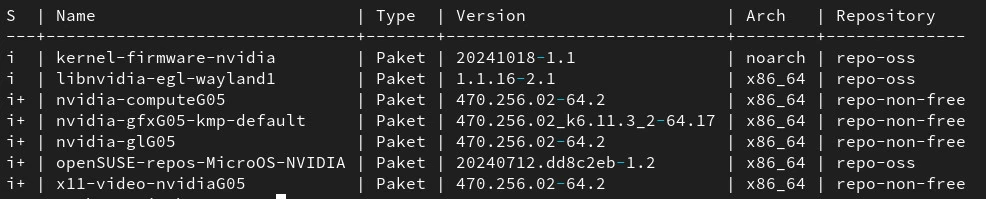
The biggest issue with this particular system is its aging NVIDIA graphics unit most notably because it is no longer supported by NVIDIAs latest driver series but instead relies on one of their "legacy" drivers.
Asking NVIDIAs driver search this GPU is only supported by 390.157, 415.27 and 418.30. But the latest 400-Series drivers works too. While writing this article this is driver 470.256.02 in particular. But this nonetheless has its drawbacks.
Power Management
If the GPU is not in use it will not shut down but instead will clock down to its lowest operation mode. In this stage it still consumes around 3W which isn't much, but the device is still powered on. Before I claimed the system to consume around 11 W if in idle. This was with a forcefully disabled graphics unit therefore, it actually consumes 14W in idle. Running entirely on battery this will obviously cause it to drain faster.
Luckily there are tools to forcefully power down such a device manually if. For openSUSE this is called SUSEPrime while other distributions call it nvidia-prime-select, FedoraPrime or simply Prime.
However, these tools still have a minimum driver requirements which is 390 or newer. If you like a graphical interface to be used with these "Prime Tools" I recommend OptimusUI which we've developed for this very purpose.
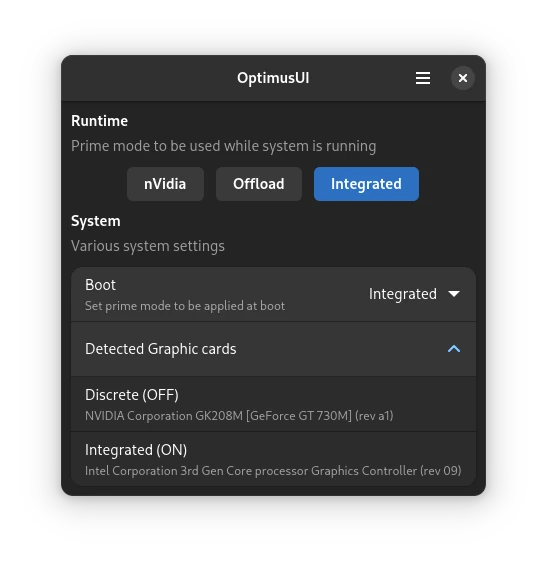
Thankfully this graphics unit supports NVIDIA Prime Render Offload. Otherwise it would just be a useless brick. If we set these environment variables: __NV_PRIME_RENDER_OFFLOAD=1 __VK_LAYER_NV_optimus=NVIDIA_only __GLX_VENDOR_LIBRARY_NAME=nvidia we can offload any application to be running on our dedicated NVIDIA GPU.
Tools such as Lutris or Bottles even offer a nice user interface based way to offload certain application to a certain graphics card.
I highly recommend using a dedicated GPU if available especially on low-end hardware. This way the integrated graphics card, such as the HD 4000, can focus on the desktop alone while another device, in this case the NVIDIA GT 730M, takes care of heavier workloads.
Wayland
If oyu want to use Wayland on a Kelper GPU you have to be prepared for quite something.
First of all the 400-Series of drivers do only support EGL Wayland. As a reminder the commonly used bugger management to handle window content on Wayland is GBM. While EGL is only supported by a handful of compositors. Most notably Gnomes mutter which also resotred EGL in Version 47 while it once vanished from older versions.
But even if using EGL there is the good old implicit vs explicit sync issue. With driver 560 and newer NVIDIA first added support for explicit sync. While some can use Wayland on older drivers you have to expect stutter or "ghost frames" at times if a game or application does not run on the native refresh rate of your display.
Also there are some limitation regarding Offloading with Wayland as this does not work for OpenGL on NVIDIA using 400 series drivers. While Vulkan works fine.
Vulkan
Another thing some needs to be aware of is that older hardware does not necessarily support the latest and greatest stuff. Especially Vulkan is interesting for us as Linux Gamers. This is limited to Vulkan 1.2 on a Kelper GPU. While the HD 4000 does not even support Vulkan 1.0.
THis leads to tools like DXVK which translate DirectX over to Vulkan can only be used with some limitations. Most notably being locked to DXVK 1.10 as newer versions require Vulkan 1.3. Furthermore it limits the version on Proton which can be used to 7.0 as Proton 8 and newer require DXVK 2.0 and up.
As a reminder: Proton is a SteamPlay compatibly layer which allows Steam on Linux to run games originally designed for Windows to run.
Thankfully there are community variants of Proton which try to takel theses exact limittations. Moste notably Sarek Proton. With this version of Proton we can take advantage of all the latest improvements of the latest versions of Proton which it bundles an older DXVK. Or better said a fork oif DXVK 1.10.
For easy installation I recommend to use ProtonPlus.
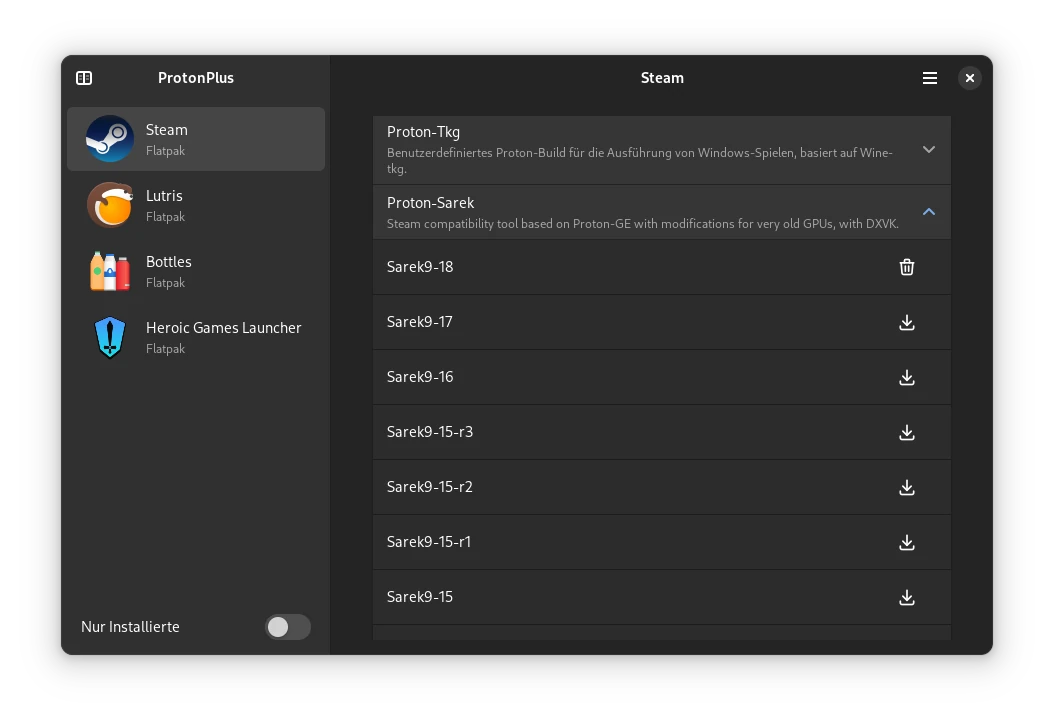
The latest videos of our Low-End Linux Gaming video series do feature Sarek-Proton
Nouveau
As an alternative to the proprietary NVIDIA driver there is Nouveau. While this one as full Wayland support, working power management in the sense that it power off the NVIDIA GPU if not in use as well as proper offloading independent of the graphics api in use it has it's own sets of limitations. Offloading with nouveau can be achieved by setting the environment variable DRI_PRIME=1 in front of any app which should be offloaded.
No (usable) Vulkan
In fact all this does help not much considering that nouveau or better said NVK (NVIDIA Vulkan, the open source NVIDIA Vulkan driver), does not support any GPU prior to Turing (eg prior to GTX 16 and RTX 20).
Some can in fact enable NVK for older GPUs using NVK_I_WANT_A_BROKEN_VULKAN_DRIVER=1 down to Kepler (exactly the GT 730M here). But it is what you'd expect. Broken. While it suffice to render VKCube with broken textures it does not so for DXVK. Actually none DXVK title even launches in the first place.
Therefore for for most games we have to default to WineD3D which translates DirectX to OpenGL. However this one is notoriously known for it's bad performance even on much more powerful hardware.
Performance issues
In addition to this older NVIDIA GPUs suffer from a general performance penalty with open source drivers. While it can power off and on the GPU it can not change it's performance level. This is due to NVIDIA enforcing signed firmware sine Kepler (exactly the GT 730M ...) to run. Which only the proprietary NVIDIA driver offers. So nouveau can render OpenGL and even Vulkan (to some extend) but the GPU will run in it's lowers power state.
Since Linux 4.9 some can however manually enforce higher performance levels on these GPUs. For which I even once wrote a little Tool.
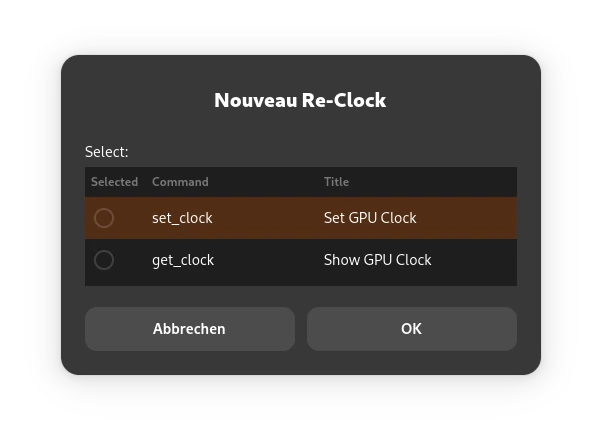
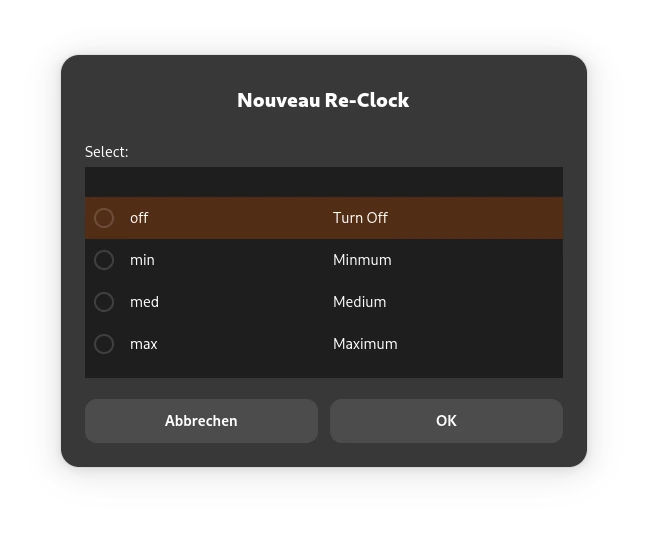
This way you can achieve higher power states but the effective performance gain is not really note worthy. In fact it is so minor even the HD 4000 has more juice then the GT 730M in it's highest operation mode using nouveau. Therefore it is not usable for gaming.
Nouveau vs Nvidia
All things considered nouveau is the better choice if only office and regular desktop use matters. Not only because some does not need to install nouveau also some can offload some light applications to the NVIDIA GPU to make use of it's 2 GB dedicated video memory. But for anything slightly more complex let alone for anything 3D it is useless.
Thank you NVIDIA you did hell of a job here ...
Since we also loose any Vulkan support nouveau is also useless for gaming in general. If and to what extend NVK will once support Kepler properly remains to be seen.
If you then also want to make use of CUDA there is no way around the proprietary NVIDIA driver here.
In other words, if you do not have any use case for a dedicated GPU at all nouveau is the better choice. In any other case the closed source driver is the way to go.
For how long the proprietary driver will keep working with the latest Linux Kernel is questionable as well. While writing this article the Kernel Module dies work with Linux 6.11.6. Since the 470-Series is a legacy driver there is not much NVIDIA will do to improve or fix it for more recent Kernels.
Actually it depends on your distribution maintainers if they offer the driver at all and if so how much effort they put into it to keep it operational with latest Linux Kernels. I can confirm that at least with openSUSE the 470 series of drivers does work with at least Linux 6.19.3
Which Linux for old Hardware?
Let's address teh Elefant in the room: Which Linux is best to be used on old hardware. While there are plenty of dedicated low-end Linux distributions it is generally not required to use such a specialized distribution in most cases. For many Linux desktop distributions you can expect them to run nonetheless.
Personally I use Aeon Desktop and Kalpa Desktop on systems such as the one featured in this article. This has many advantages.
First of all they are both rolling releases which means they always feature the latest software. Latest Kernel as well as drivers (except NVIDIA in this particular case).
Of course it is valid to ask if a rolling release is really necessary here. Since we speak of at least 12 years old hardware. A point-release should already have the required drivers by now and should work flawlessly. This is true.
The long version is due to regular updates and continuous updates the system will become faster over time. 2% faster file systems, sure! Improved security mitigations for various CPU vulnerabilities which are lighter on performance? I'll take it!
Linux always improves. Not only on new hardware where the latest drivers are essentially but also older systems benefit from a rolling release. No matter how tiny the performance improvement is it will make a difference on older systems.
In addition to this Aeon and Kalpa are shipped with distrobox which vastly improves the compatibility with any kind of software. This way the use does not have to bet on choosing the right distribution with the most software supported like running old propriety software which may has only been supported for a very tiny set of Linux distributions at all. I even would argue people making use of old hardware might also have some requirements on older software as well. Using distrobox and BoxBuddy some can make use of any Linux Distribution without the need to install it on the system.
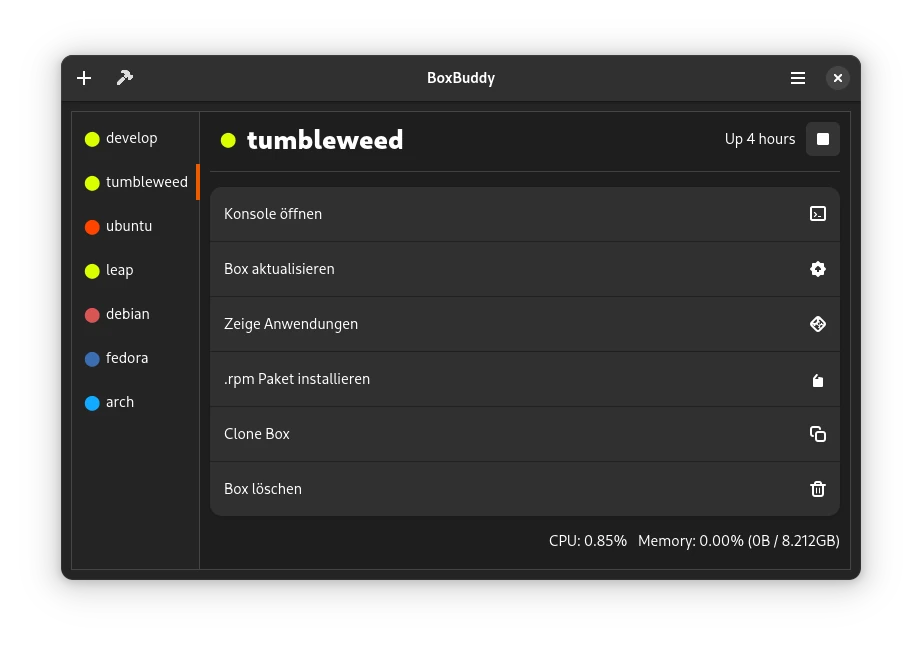
Furthermore Aeon and Kalpa are very lean on resources as both are immutable Linux Distributions which happen to ship only with the bare minimum on software and libraries to function.
A new Aeon and Kalpa installation is not even 4GB in size. All user applications are installed via flatpak which also only installs the bare minimum to run in form of shared runtimes.. Therefore if a flatpak is uninstalled all runtimes if not in used by another app are removed as well. Even user data can be removed by the press of a button. Something usually not possible with "classic" packages as these often place cache or runtime files somewhere into the users home directory.
Taking a look at my current storage quota reveals that Steam occupies 40% of all my space which are only games.
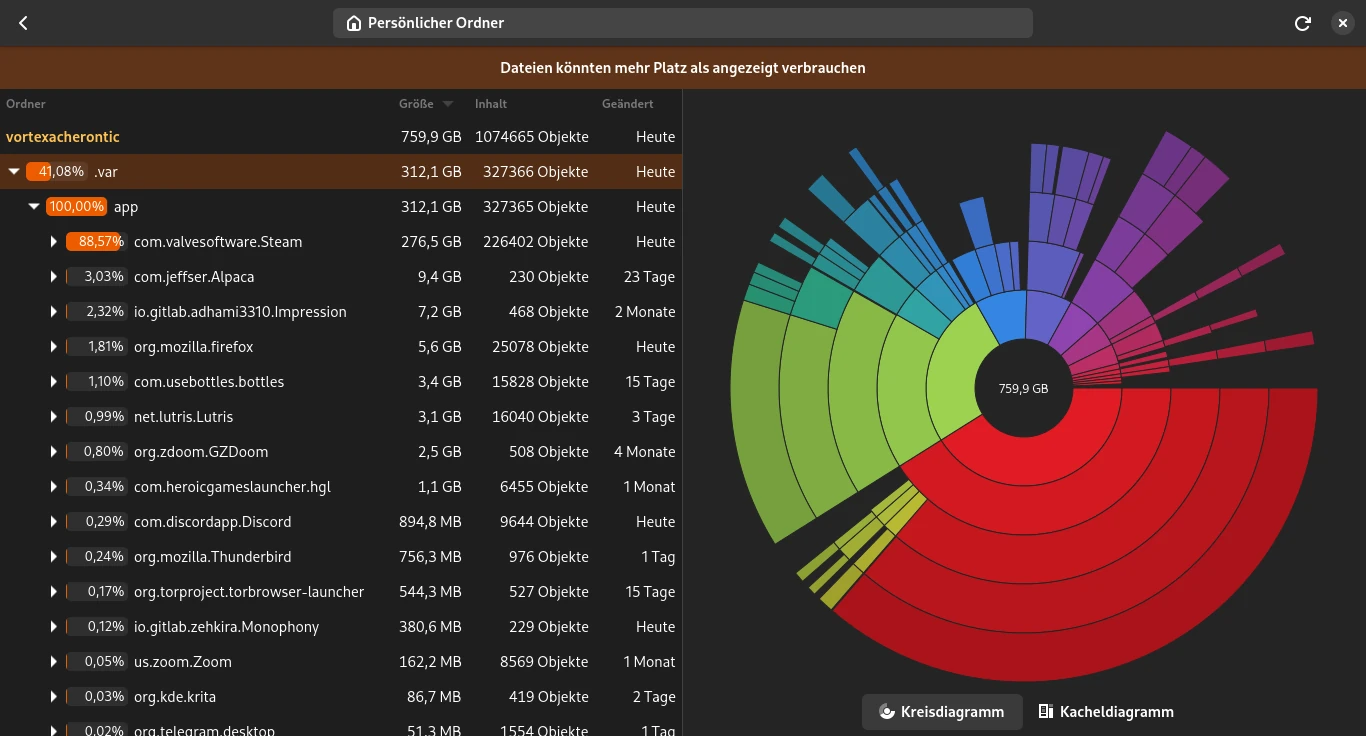
Another important fact is the use of BtrFS which both Aeon and Kalpa setup by default. This saves a ton of space as well. First and formost it is a copy-on.write filesystem. This means the file system can deduplicate files on block device layer. ALso BtrFS supports file system compression which does not only reduce the required storage but also lowers read and write operations by a lot. At least Aeon setup compression by default, Kalpa does not at the moment.
This reduce duplicated files which fill up the disk over time and helps with flatpak and distrobox as well.
Since all flatpak runtimes are deduplicated with each other as well and only their bare differences are actually stored on disk. Same for any distrobox container. If they use similar files they do only require once the space.
This is a huge win for systems with limited space.
By this not enough Aeon and Kalpa also come with ZRAM-Swap which also compresses system memory instead of a dedicated SWAP partition on disk. While this does not double the amount of RAM it helps much in situations where RAM is a constraint. Even though this will increase CPU usage a little bit. But compared to the alternative to read and write to disk this is much better for performance and longevity of block devices.
Some might even say zram-swap is the "Download more RAM meme" become true.
Not just a bonus for old but also new devices.
Common Low-End Distributionen
Of course neither are Aeon nor is Kalpa the holy grail here as there are quite some situation where neither of which is a good choice.
Unlike Tumbleweed which both are based on they do not offer a 32bi variant to be run on 32bit only CPUs. 32bit Software compatibility is not the issue here, these do still work fine for example by using Lutris.
Also Aeon is tied to the GNome Desktop while Kalpa to KDE Plasma. If some does not prefer any of these they are not well advised with these Distributions.
In addition neither do officially support ARM. As ARM devices are on the rise in recent years some might default to Tumbleweed or other distributions if ARM is what you are running.
Also dual boot setups are not officially support despited being possible with some tinkering. Neither do official support this.
If you also not fond of the idea of an immutable Linux distribution or do not like flatpaks Aeon and Kalpa are a deal breaker as well.
Next up both do also require UEFI. Therefore if some does run a system without UEFI support Aeon and Kalpa won't work either.
Therefore I'd like still some mention a few dedicated low-end Linux distributions here:
Videos
While I can tell much this is still not a real world example. While Linux is noticeably leaner on system resources compared to Windows which makes it particular useful on older hardware it still does not do miracles. Games which already where way above the performance class of the device will not suddenly run. While there might be some improvements in performance it still might not be enough for a pleasant expedience.
Therefore I regularly upload low-end Linux gaming videos to show case various games running on old hardware on Linux. This way I'd like to draw the attention to Linux in general and to showcase what works and what does not. This way users with similar hardware might have a point of reference to maybe evaluate if Linux would help their use case or not.
For those interested the latest recording are performed with this dedicated capture card.
Older recordings whre done on the device using GPU Screen Recorder which of course did hurt performance to some extend.