Linux for Desktops
Which Linux Distribution release model fits best for desktop use: Point, rolling or semi-rolling?
Distributions coming to mind if thinking about desktop use are probably Ubuntu, Linux Mint or Zorin OS. Some might see Fedora, Nobara or Bazzite as a better fit. While others even might think distributions like Arch Linux, which often times is associated with instability or requiring a lot of maintenance, or any of it's derivatives such as Manjaro or CachyOS are more suitable. The important take away here is that all options mentioned are quire different in their release schedule which means how often they release a new version. But which one fit's best for desktop use?

Introduction
Point-Release: These type of Linux Distributions get a new major version every 2 to 4 years depending on the distribution itself. In the meantime they only get security updates and bug fixes. This release model is the most common one. It is generally considered to be stable and well tested. Therefore user get only the best and known working software and probably will not run into issues. They are also generally considered best for day to day use.
Semi-Rolling: Is not an actual term to describe distributions such as Fedora and it's derivatives or the likes of (openSUSE) Slowroll. Fedora for example receives a new major version every 6 month while Slowroll is updated every month. Of course they receive security and bug fixes much more in time. Depending on where you spend your time online some describe them as the best or the worst of both worlds, point and rolling releases.

Rolling-Release: These kind of distributions often times do not have a "version" while they provide updated installer images from time to time. This is so end users do not have to install them from old images and then need to patch the whole thing. CachyOS for example releases an updated ISO every month as dose Tumbleweed. But once installed there are no release upgrades. They just keep on rollin'. This means if you installed them today they very well might have a new updated tomorrow. If this is about security fixes, bug fixes or feature update is usually no different for these distributions.

Detailes overview about release-models
For end users the question might arise, which is better? Are point-releases really the best you can get? Are rolling releases meant for beta testing while semi-rolling are some weird thing in between?
To answer this question we have to learn a bit more about how these release models work in much greater detail. Also I'd like to elaborate on some common software engineering terms I'll use throughout this blog post.
Maintainer: Is a person or a group of people which do care for a piece of software, software package or an entire Linux Distribution. They develop the thing, improve it, fix bug and release new versions.
Upstream: Is called the very source code a maintainer of a piece of software takes care of. In other words: The upstream is where Linux Distributions get their software from.
Downstream: Is the very code base which is developed independent from the upstream. Usually this is the code base each Linux Distribution is actually working with. They may patch things or implement custom things in it. Or in other words: If someone is to download the upstream code they will not get any modification done to it's downstream. This is important as not all changes done in downstream are qualified to be uploaded to the upstream. Like distribution specific changes. But eventually an important patch developed downstream might be uploaded to the upstream.
Major, Minor and patch versioning: If a software get's a new release they get assigned a version number to communicate that there is a new version to others. Also the source code of a particular version is not changed afterwards. While there are different "rules" on how to apply a version number the MAJOR.MINOR.PATCH on is the most commonly used. It is important to take a look at where the dot's are in these versioning scheme.
Major: Indicates that everything can have changed. Interfaces, expected inputs or outputs. Maybe even the programming language. SImply everything compared to the previous major version. Often times this is also called "breaking changes" which means if another software relied on it the new major version could be entirely incompatible requiring the other software to be updated as well. There while 1.0 functions in one way 2.0 could be an entirely different thing. Maybe there are new interfaces replacing old ones.
Minor: Changes performed in a minor version are less drastic. Usually the maintainers avoid removing things here but maybe introducing new stuff which in the next major version might replace stuff. THerefore it could happen that parts of the code base are marked as "deprecated" but are kept until the next major version for compatibility reasons. Sometimes they introduce new features which build on the existing code.
Patch: Are very small changes and are usually done to address bug or security issues. Maybe the fixed a crash or unwanted side effects. Small things.
If we combine all this together and also include down-/upstream here a version number can look like this: 1.2.3-4. Major version 1, Minor version 2, patch 3 and downstream modification in the 4th revision.
Point-Release
Developing a point-release is usually done in a multitude of steps. There is a testing or unstable variant of the distribution. Debian for example calls this Debian Sid (sometimes also called unstable). These are continuously updated and receive new packages or maybe even drop some. Testing usually is done manually during the development. They are called "unstable" because they where not tested thoughtfully and go by "It works on my machine".
After some time these changes are then migrated into a testing variant of the distribution. Debian calls this Debian Testing for example. These will eventually become the next major version at some point. While the distribution is still actively developed this testing version might change frequently as well. But focused on actually testing all the things together and fix issues, testing again, fixing again and so on.

For openSUSE on their Open Build Service the process looks like this: Development -> Factory -> Staging -> Tumbleweed -> Slowroll -> Leap -> SLE (SUSE Linux Enterprise). While Slowroll is not necessarily part of the mix. Also at times there is one step even before Development.
After this there is the so called "Feature Freeze". At this point of development the distribution will not accept new features. In other words: They do not accept new major or minor version of existing packages.
Let's say we have a package named Foo which was included in version 1.0.0 and the feature freeze has occurred then this package will not change. For the next 2 ot up to 4 years it is then frozen at version 1.0.0. Only patches or downstream modifications are allowed. Hence 1.0.1-2 might be a valid update to foo. Only in rare cases they might change the minor version. Usually oly if these change can not be applied in a downstream modification.

On the other hand this also means that a distribution shipping 1.0.1 can have different downstream modifications then other distributions which might also ship 1.0.1 but applied different downstream changes. Even if both ship 1.0.1-3 it still might be very different. This is because, as previously explained, downstream changes are usually not synced with upstream. Therefore it is not guaranteed both distributions applied the same modification. Often times it also makes little not no sense to do so as both downstreams might be very distribution specific as their package "Foo" has to work with another packaged "Bar". Which might be as different as Foo is across both systems.
During the feature freeze a distribution is patched, tested, patched and so on until it is considered "stable". Before the next release there might also be some so called Release Candidates (RC) which are used to get broader feedback from the community and people outside fom the distribution maintainers.
Then finally Distribution 2.0 will be released to the public. Most of the times distributions aim to follow a fixed schedule here. To ensure the next major version is released roughly around the same time as the previous one had. Maybe all 4 years at the 1st of august or similar.
In return this means at the time Distribution 2.0 was released it does not use the upstream version of all packages available at it's release. But instead which ever version made it into the feature freeze. Even back than it does not have to be the latest upstream available during the freeze. It is very much the case that those packages are actually already a few month or even a year or two old. Even if the distribution release is brand new. If a package is in a distribution for a long time you can usually tell this by looking at the downstream revision like Foo 1.0.1-1234 for example.

To better describe this let's assume we have two distributions let's call them A and B. Both where released on the 1st August the same year it could very well be that A ships Foo 1.0.1 while B might include Foo 1.1.0 or maybe even Foo 2.0. If we account downstream here as well we can call them "frankenstein software".
Additionally there is an extensive release upgrade process at hand to migrate distribution 1.0 to 2.0. Some distributions advice to simply re-install to minimizes side effect. While others offer an upgrade assistant which basically downloads every things package and updates them. This is a lot of software and a lot of things can go wrong here. Also none of the maintainers can know which particular software the user might have installed in addition to the base distribution.
Therefore upgrading a point-release comes with a certain "Downtime". Hence, a time where the system is unusable do to it swapping out every single component. If this is done while the system is still in use it might become increasingly unstable throughout this process. This is because libraries are changed while they actually might still be in use. FOr running applications this is usually not a bog deal. But if you launch a new one which starts with a partially updated system there might be some libraries already changed and others don't. Which then might showcase what "breaking change" actually means.
Rolling-Release
While rolling-releases are usually inheriting the same development phases as point-releases they are obviously much shorter. Some distributions automate this process to some extend. While there is also not such a thing as a feature freeze. Therefore major or minor versions might change the other day. If or to what extend this software has been tested heavily depends on the distribution in question.
Tumbleweed for example (as well as Fedora) use a system called OpenQA to automate the testing process. Only if OpenQA labels a new version as stable it will then be rolled out to the users. Since these test are automated they can apparently test much more software in less time and even in greater detail as they can also perform more tests. But this also depends on the actual change at hand. Maybe something changed in a way that some of these test do no longer work. Or something is new where there is no test. Most of the major point-releases use an automated testing suit as well.
While other distributions rely on manually testing. Most notably Arch Linux as this is a fully community driven distribution. Which means they apparently have less resources to throw a big server infrastructure at the things. Even Valve once deployed a Signing Authority for Arch Linux. This is used to automate the process of sining packages to help the package manager to validate if a package is genuine or not. Before that every maintainer of every single Arch Linux package had their own signing key and signed the software all by themselves. While these signing key do not necessarily need to cme from a central signing authority. Which makes it hard to verify if the sining key itself is genuine. Thanks to Valve this has changed now.

As fas as I am aware Arch Linux itself does not utilize an automated testing framework. Valves SteamOS might have such a thing. While Steam OS also allows for submitting automated crash reports. While also their user base is much larger.
All this considered might give you an idea why some folks deem Arch Linux less "stable" or that it requires more work to maintain the system. But you also have to take into account that Arch Linux is a DIY distribution or purpose as the end user has much more control over what package to include and which not. This apparently also makes is barely impossible to test the thing as there is not a well defined "default". While ArchLinux is rather popular it somewhat added up to the bad reputation rolling releases have amongst the Linux community. Even if this is not justified in many cases.
To some extend the "weaknesses" depending on who you ask, derivatives inherit these as well. While distributions such as Manjaro do have a dedicated Testing branch and a default configuration it is as well a community based system and relies on manual testing. In addition to a smaller team of maintainers and some of it's packages just chill in the testing branch without being actually tested caused a rather colorful reputation for this particular Linux distribution.
Which doesn't do any good to the overall reputation of rolling-releases as well. Even if others do work fundamentally different.

To compare Arch Linux and Manjaro with the likes of Fedora and (open)SUSE is not entirely fair. As both are backed by big enterprises such as Red Hat or SUSE which can throw an mere infinite amount of money at their infrastructure. But on the other hand these distributions are very dependent on the good will of it's parent entity. This can be a good and a bad thing at the same time.
If we for a moment do forget about all the testing of rolling-releases they all have a lot of advantages. Obviously the update much faster while the actual amount of software which changes at once is rather small and is easier to manage. Both for the maintainers and the end user. Since neither Foo and not Bar are receiving a new release every day.
While there is also no feature freeze or a static versioning going on there is usually no downtime to be considered while updating. Therefore, the system updates over time in many small steps.

Semi-rolling
To explain semi-rolling is not very much needed. They try to provide a longer testing period over true rolling-releases while also aiming for it's software to be not as out-dated as the one of point-releases. While users still have to do release upgrades every now and then and thus are affected by a short(er) downtime.

In other words: They somehow try to bridge the gap between rolling and point-releases, have a shorter downtime while upgrading since the amount of software changed is not as extensive as with a point-release but still larger then with a rolling-release upgrade. Also end user shouldn't need to wait for new features for too long and driver updates while still provide a slightly longer testing period.
Linux on the Desktop?
Pew quite a lot of introduction while we still haven't answered the actual question. Which release model is the best to be used on a desktop system?
Point-Releases: THier major drawback is that users have to wait for new features maybe for years. Especially if this is about drivers for recent hardware which are included in the Linux Kernel this can be an issue. Question often ask: "Can I put this new CPU into my PC?", "Is the graphics card supported or are drivers missing entirely?", "Will this new WiFi-Stick work? If yes does it work as expected?", "I want to buy a new Laptop but will my favorite point-release work?" "Is there an important firmware update which fixes a critical hardware error?" and many more.
In short: ALl these question can be a minefield. As an end user I can fully understand that people expect the latest hardware to work. I even think this is not too much asked specially for desktop use.
In addition I'd like to ask: Do we trust every end user to be able to perform a release upgrade as soon as Distribution 3.0 drops? Or do I get into the car drive 2h to my grandparents and update the system myself to the next LTS. While also doing a full system backup just in case?
Rolling-Releases: They get new feature pretty fast, new hardware is usually supported rather soon if not day one. To run system updates on a daily or weekly basis using some automated script doesn't seem like a big deal. Some distributions even offer such a thing themselves.
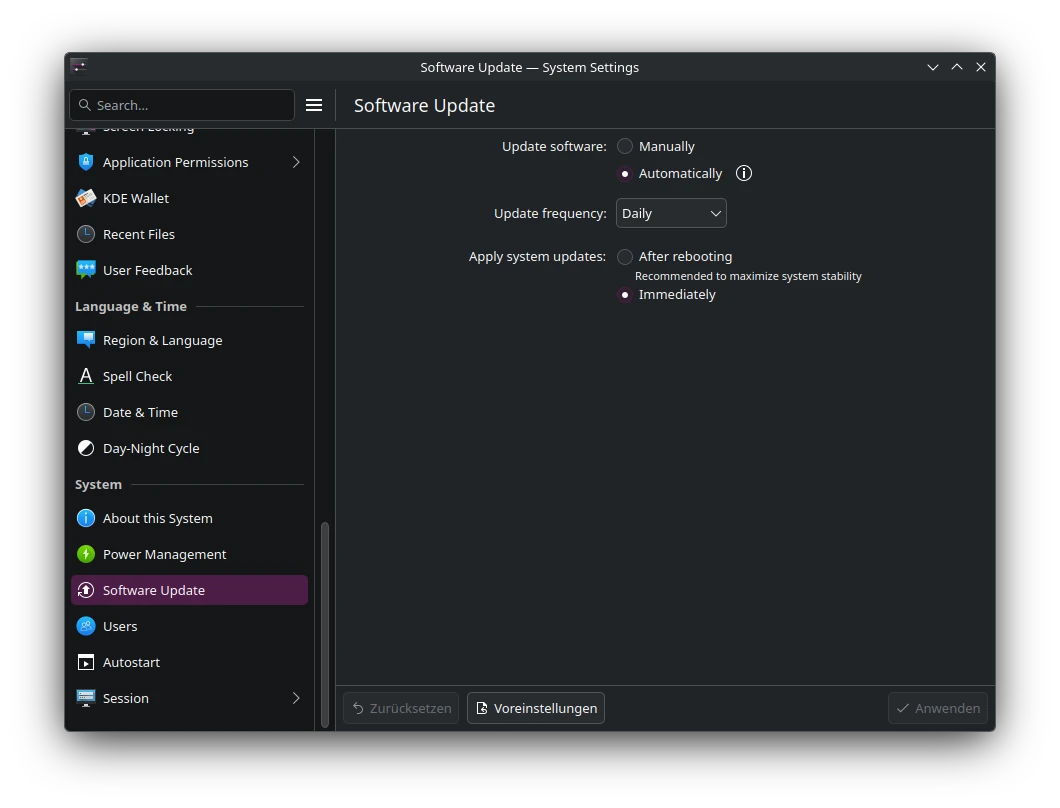
But what if an error occurs? Using a point-release chances are good the issue was fixed long before the next major update. To I trust every user to troubleshoot the issue, fix it themselves or do a full rollback?
Maybe a semi-rolling release is a better fit? But they still have to perform release upgrades every nwo and then. But maybe errors are fixed last minuted before the release?
But there is another thing we didn't took into consideration. Linux Distributions are not just drivers, libraries, desktop environment and the Linux Kernel. There are user applications as well.
Using a point-release the feature freeze does happen just as with any other part of the system, For example the Browser is locked to an old version. While browsers often offer so called LTS releases or Extended Support Releases for this very reason. This is they can please the point-release schedule while also offering a way to fix errors. For some software distribution maintainers might even implements special rules which allows the to update them to the next major version. On rolling releases this issue is apparently gone.
Another problem is that users (if they do) might create bug reports against upstream about an issue fixed long ago. While they possibly do not properly communicate they actually are running a downstream package or which version they talk about. While the upstream maintainers might accidentally assume they use the latest version. Then they might search for the issue but are unable to reproduce it. While they eventually after some time find out the user was talking about an old version and they fixed the issue in Foo 1.1 but the user is running Foo 1.0.
Not so long ago the developers of Bottles, a favorite application to run Windows software on Linux, published an blog post which reads: "Please don’t unofficially ship Bottles in distribution repositories" to avoid this very issue.
Distribution maintainers to ship an out-dated version in their latest distribution release. As well as to avoid errors because of extensive downstream patching just to make the software work with their frankenstein distribution. Also they want to avoid the need to add distribution specific workarounds for certain stuff.
In short rolling-releases seem like the over all best solution here. More recent software, user applications are not frozen in time, new hardware is often times day on supported, assuming said hardware work with Linux at all, no need to plan for a "upgrade day". While updates might look like many but are actually rather small in size.
For those whom still prefer a point-release for various reasons I recommend to install applications not from the distributions own repositories but rather to take a look at flatpaks rom Flathub or snaps from Snapcraft. Maybe even consider AppImages instead.
My personal solution
While I already tlaked alot about this topic I have to disclose I am going even a bit further on my personal hardware. Where I run immutable rolling-releases such as Aeon, Kalpa and for server use MicroOS.
The reasons for this are quite a few. First all 3 do create system snapshots on every update. Which means as they are rolling releases which are tested by OpenQA I'd still like to minimize the risk of an outage. Therefore if an update might not work as expected I can just rollback to the previous working version with zero effort. All I have to do is to launch the system from an older snapshots right during boot an I am all set.

In addition to this they are all immutable distributions which means they can not be altered except for the user directory and a handful of system directories. The main advantage of this is that the system is forced to update itself in a way that it does not have to touch the currently running system. Which means during an update user space software will not become unstable because some libraries might have changed.
Or maybe the nVidia driver is not compatible with the latest Linux Kernel. In this case the system will detect the issue during the update and can simply skip it entirely. This way I never run into the issue to boot into an partially updated system without video output. While the system will automatically perform the update again at a later time when things have been fixed.
ALso most user space software is installed from flathub anyway and therefore entirely independent form the main system. Another advantage of this is that I run the software right from their original maintainers and not from a 3rd party. Which means if an issue occurs I can confidentially report them to the developer. Therefore, the issue might not just affect be but potentially every user. Next, the software runs inside a sandbox isolated from the host system which in addition to all the other benefits increases the overall system security as well.

Things not to be found over on flathub are installed vis Distrobox which also works independent from the base system. Plus it gives me access to all software sources of all Linux Distributions. ike Arch Linux AUR, Ubuntu PPAs, proprietary software such as DaVinci Resolve which only is officially supported on Rocky Linux. Or AMDs ROCm which officially only supports point-releases such as Ubuntu, SUSE Linux Enterprise, Debian, RHEL, Oracle Linux, Azure Linux and the likes.
Therefore, I do not even have to be lucky while I made decision which distribution to use on my hardware as I can simply get any package from any Linux Distribution.
Another nice feature is TUmbleweed, which is what Aeon, Kalpa and MicroOS based on, does install x86_64_v3 optimized packages. This improves the over all system performance on modern CPUs. Something many Linux Distribution don't do at all. At best they assume a certain base x86_64 support and optimized packages for newer architectures are often times not to be found.
My personal recommendation which Linux to run on a Desktop system are: Aeon and Kalpa! While I have to admit installing Kalpa at this very moment is not as simple as some might think. If you plan on giving Kalpa a try feel free to take a look at our documentation.